


When it comes to multiroom wireless speakers, there’s Sonos and then there’s everyone else. That’s hardly a surprise. After all, Sonos not only defined the category when it launched more than 20 years ago, but has also remained laser focused on it ever since.
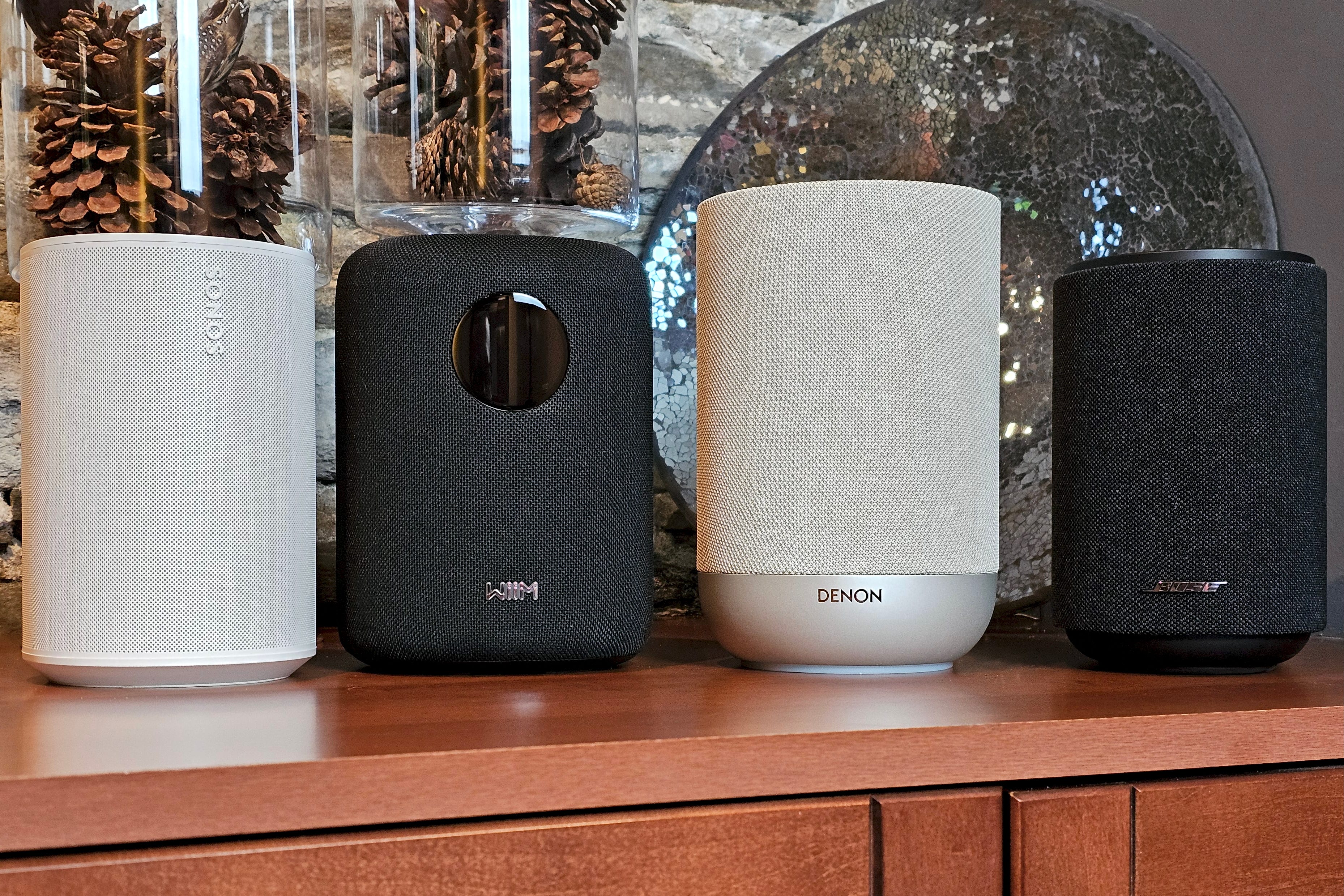
Does that mean you should blindly buy Sonos products? Absolutely not. You should buy them (or buy another brand) with your eyes wide open! To help you do that, here’s a snapshot shootout of the roughly comparable entry-level models from Sonos, Bose, Denon, and Wiim: Sonos Era 100, Bose Lifestyle Ultra Speaker, Denon Home 200, and Wiim Sound.
I’ll talk about pricing, design, features, performance, and your options for expanding beyond a single speaker.
Spoiler alert: a lot of product comparison articles choose a “winner.” I’m not going to do that. Instead, I’ll let these speakers, ahem, speak for themselves, then I’ll offer a few thoughts on how you can decide which one (or maybe none) deserves a spot in your home.
Disclosure: If you buy through links on this page, I may earn a small commission at no extra cost to you. As an Amazon Associate, I earn from qualifying purchases.
Price
I’m sure you’ll be able to find discounts on these speakers throughout the year and especially during retail events like Amazon Prime Day or Black Friday, but for the purposes of a fair comparison, I’m sticking with the manufacturer’s suggested retail price or MSRP:
Sonos Era 100: $219 USD / $289 CAD
Wiim Sound: $299 USD / $429 CAD
Bose Lifestyle Ultra Speaker: $349 USD / $449 CAD
Denon Home 200: $399 USD / $599 CAD
A few notes here. First, if you’ve been thinking about the Bose Lifestyle Ultra Speaker and you could have sworn it was only $299, not $349, you’re not crazy. In May 2026, Bose launched the Lifestyle Ultra Speaker at $299 and then increased it to $349 on October 12 without saying a word.
Second, Sonos and Wiim make less expensive versions of their products that omit some features. The Era 100 SL ($189 USD / $249 CAD) doesn’t have mics, and the Sound Lite ($229 USD / $329 CAD) doesn’t have a touchscreen or a remote. I’ll talk about why these might be better choices in a moment.
It’s easy to be lured by the Era 100’s relatively low price, but obviously, there’s more to the story.
Design


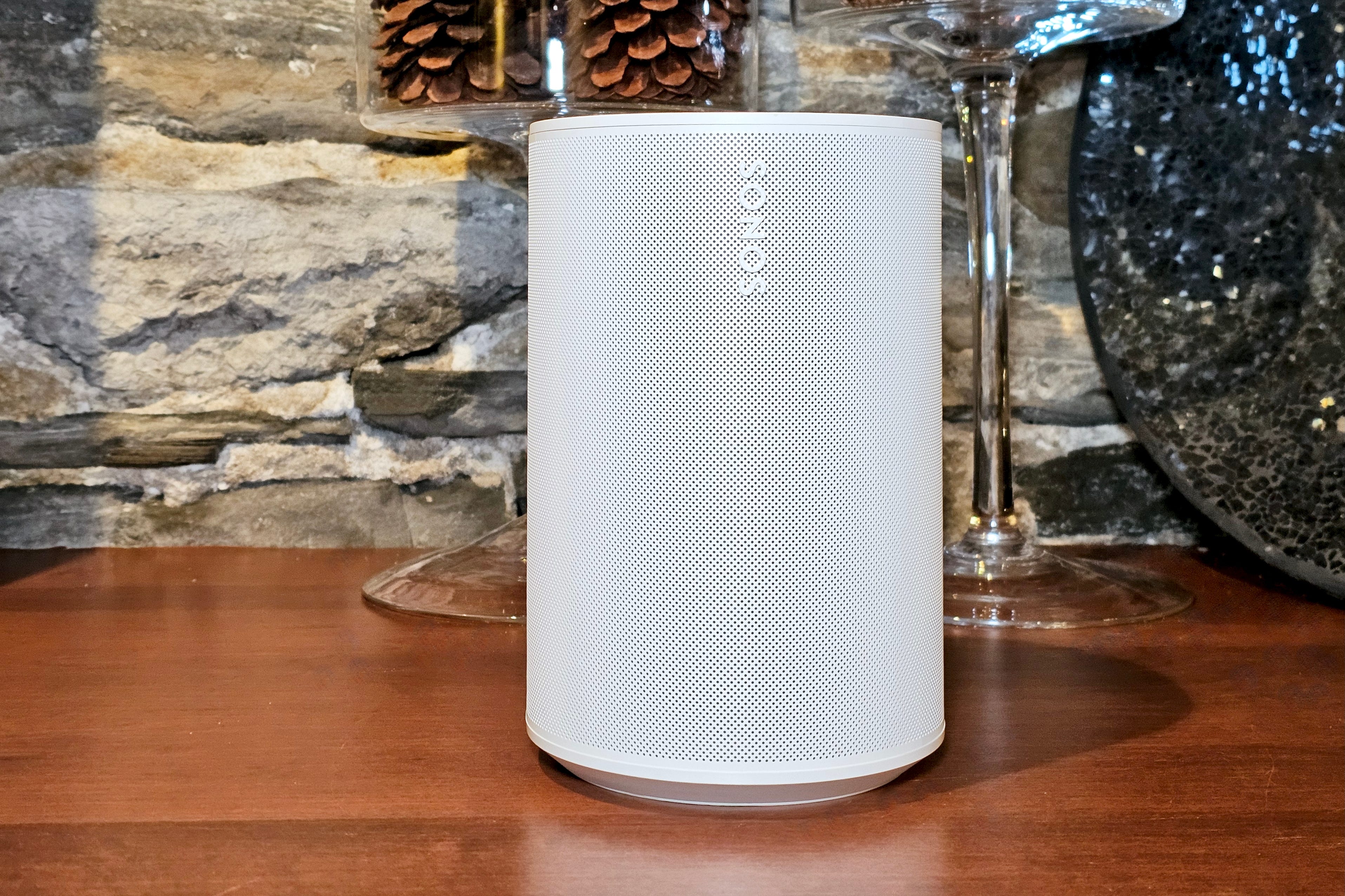
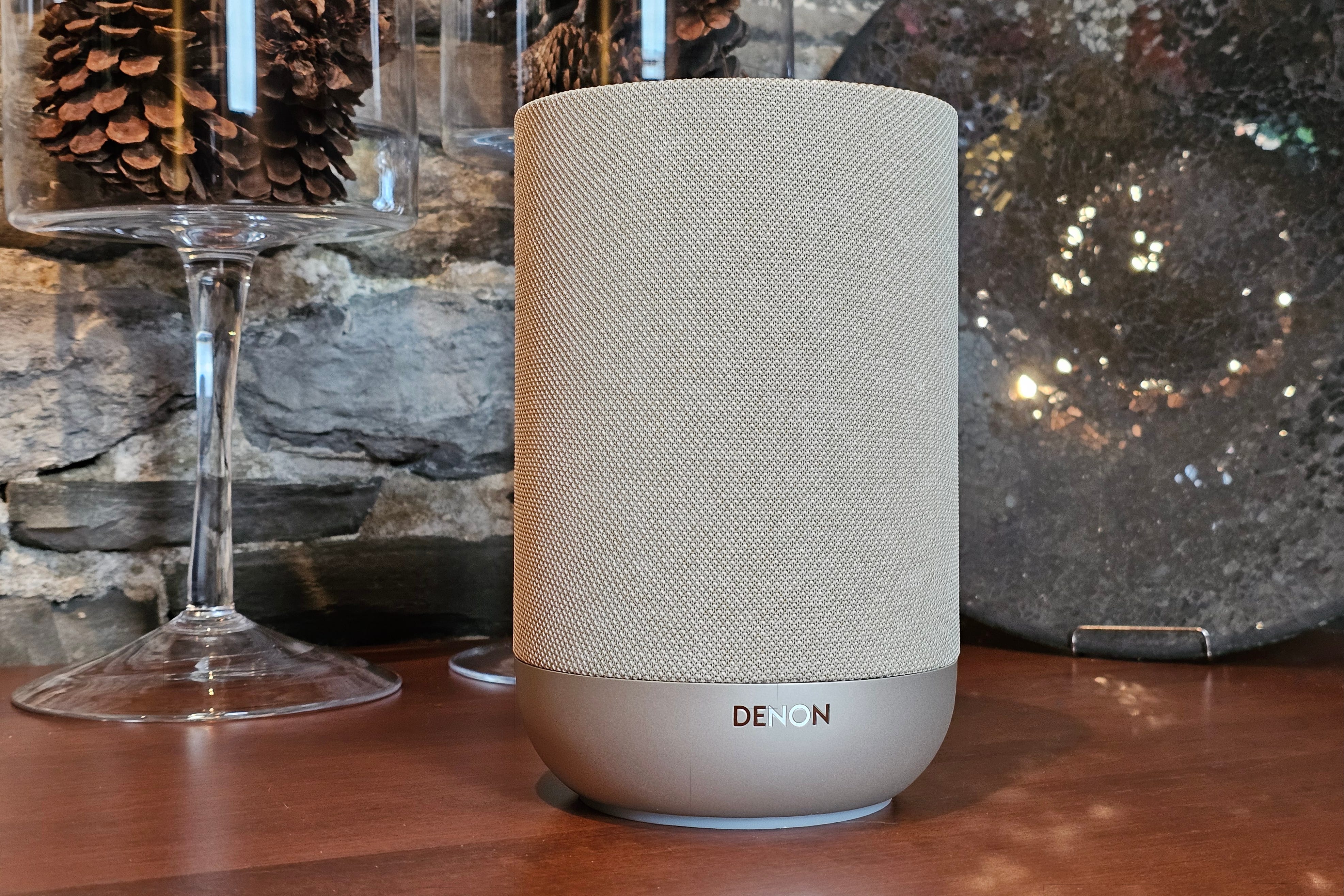
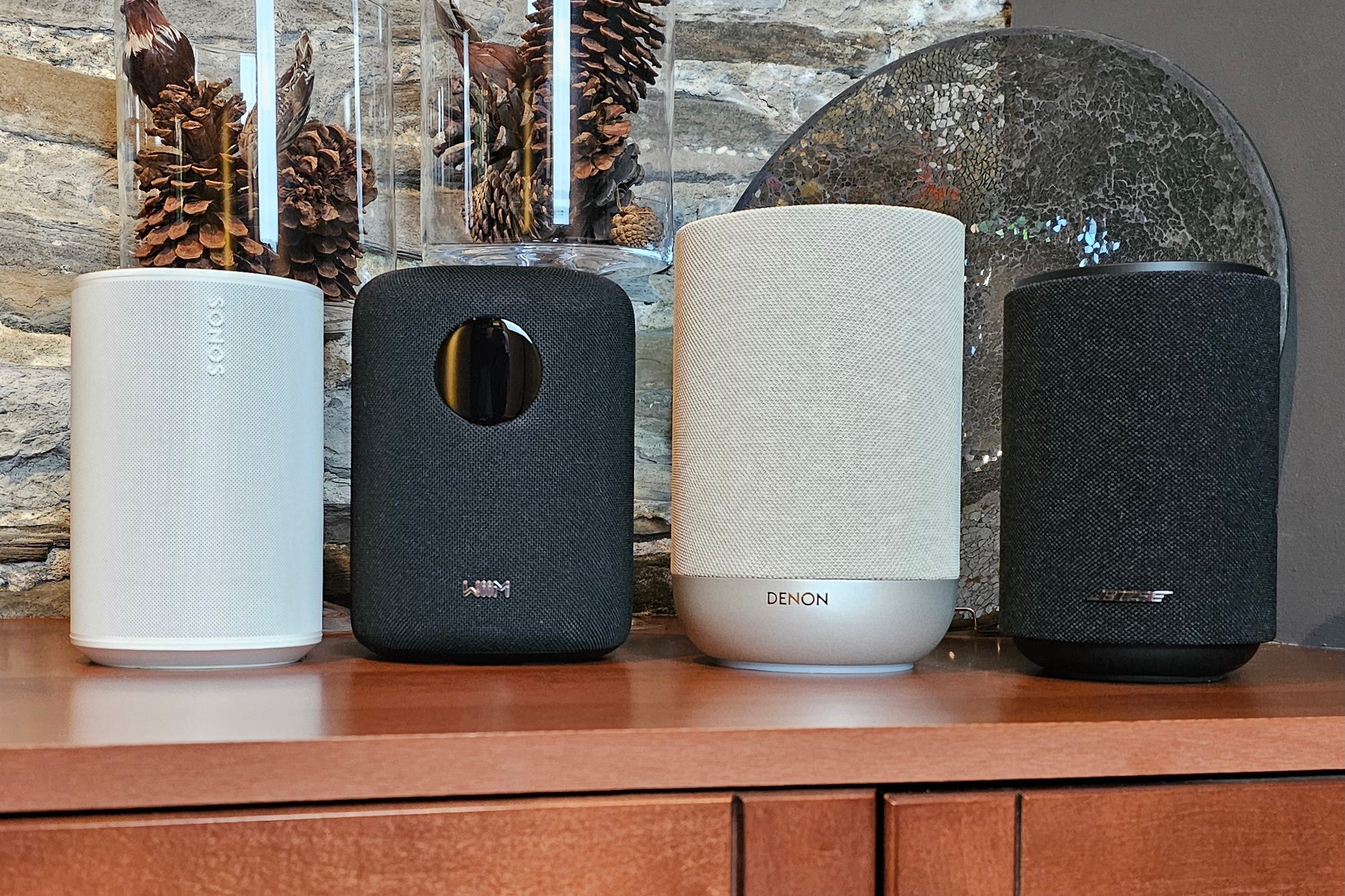
Looks are obviously subjective, but I think all four models look great. They all use a combination of plastics and fabrics, except the all-plastic Sonos Era 100. This gives the Era 100 an edge in terms of versatility. Fabrics can get stained and they don’t do well with rough handling (or cat scratching), whereas plastic is pretty robust.
If I were to pick one of these models as a kitchen speaker, for instance, it would be the Era 100, no question.
The Era 100 also has (by a hair) the smallest overall dimensions.
When it comes to colors, Sonos, Bose, and Wiim stick with the traditional black and white options, while Denon offers a slightly warmer “stone” finish. For an extra $30, you can buy the Driftwood Sand edition of the Lifestyle Ultra Speaker, which incorporates a natural wood base to complement its beige/brown colors.
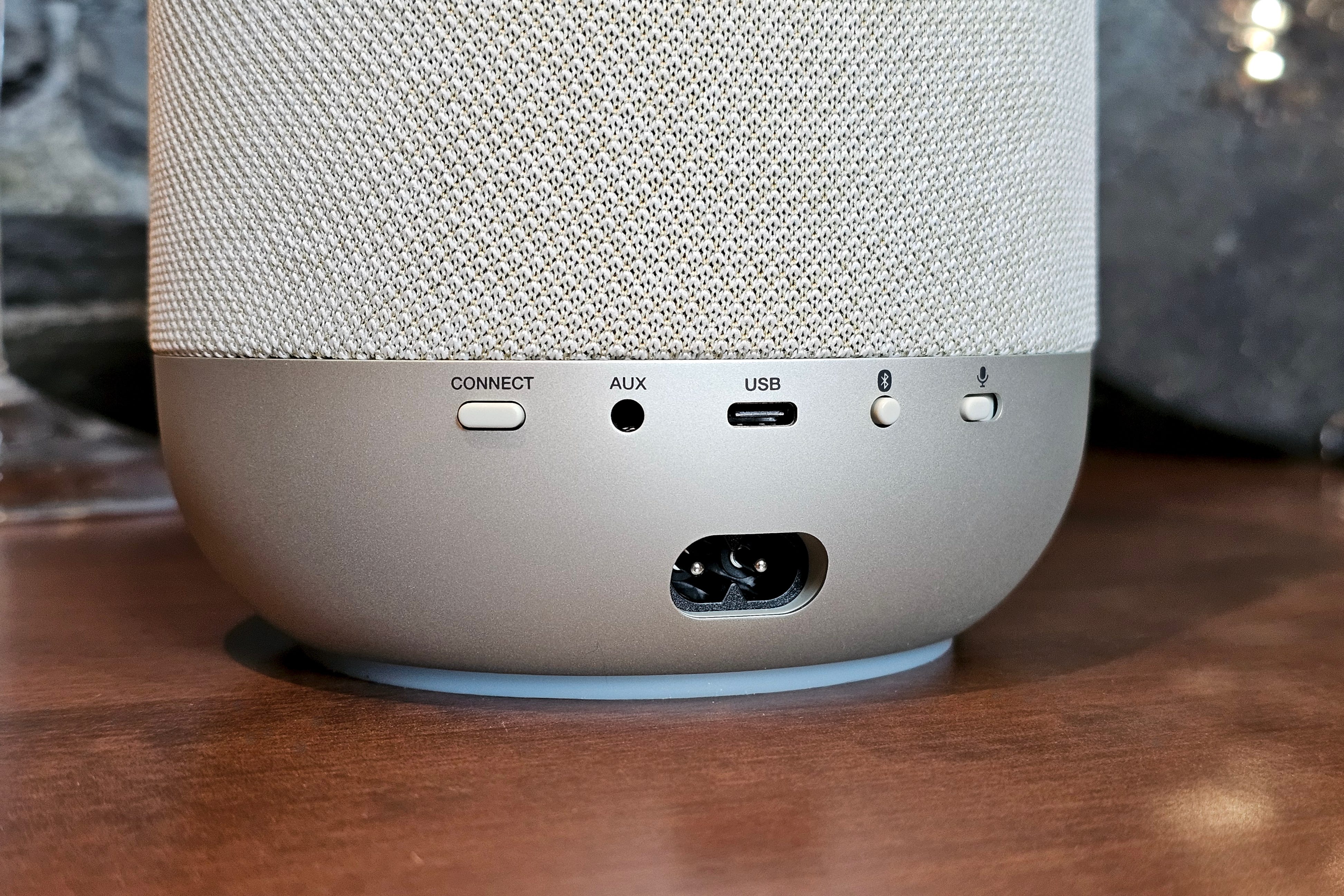
All four feature top-mounted controls for playback and volume adjustments, and all possess at least one kind of external input for connecting other audio sources.
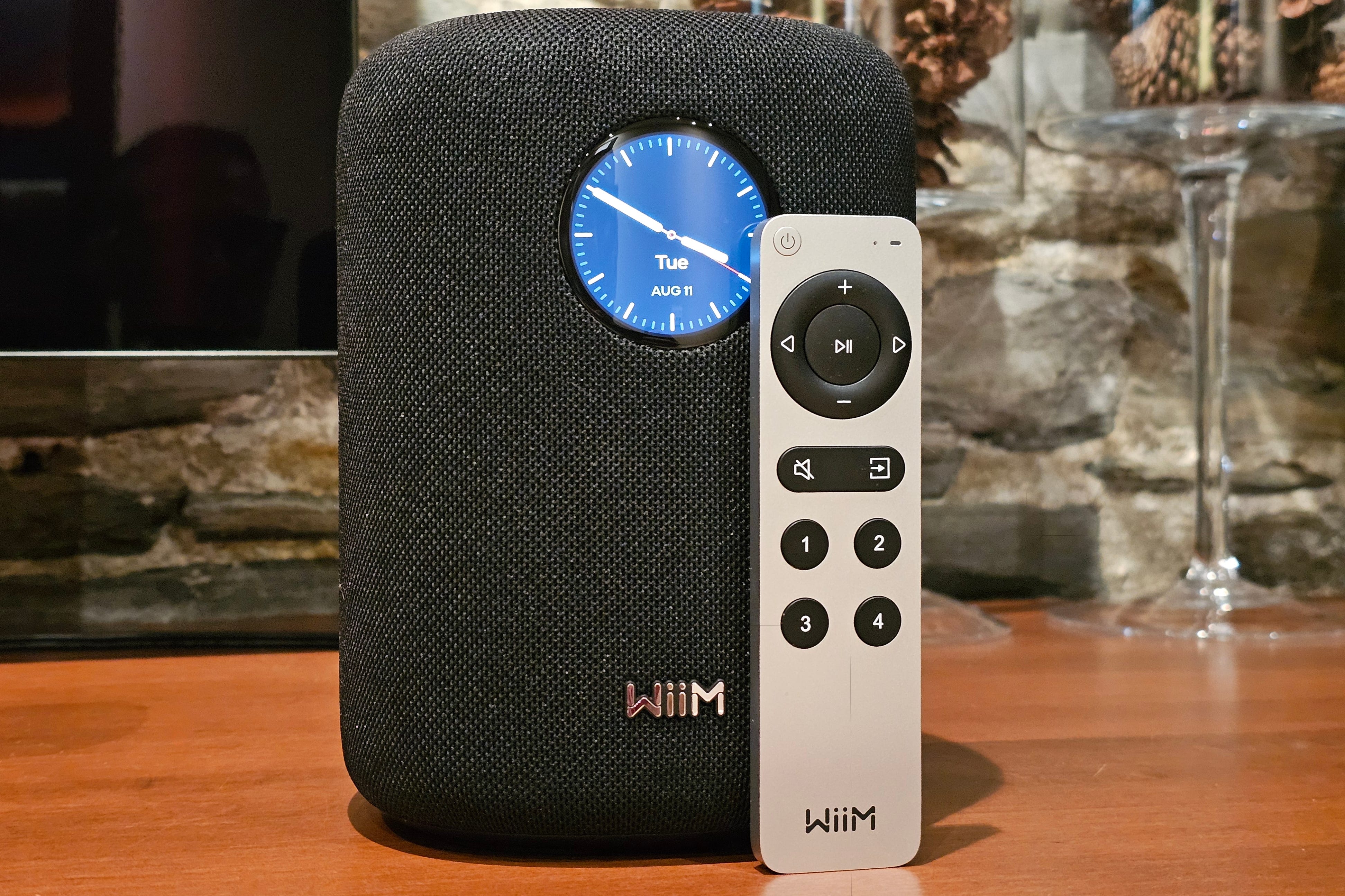
Only the Wiim Sound has illuminated top controls, and it’s also the only speaker of the bunch to come with a built-in, front-mounted touchscreen display and its own wireless Bluetooth remote control.
Each model has the option of being wall- or stand-mounted, but none come with their own hardware for doing so.
How do they work?
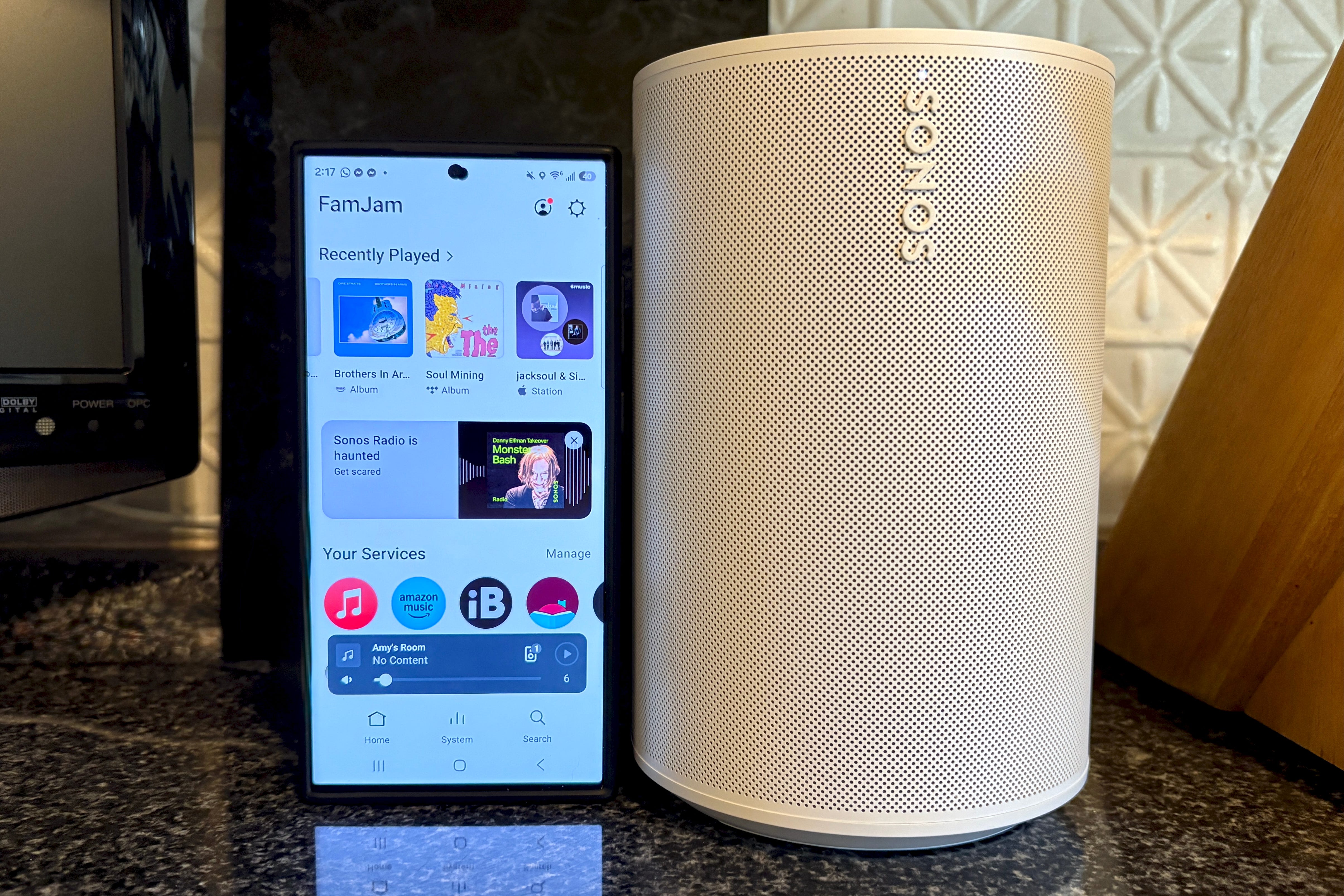
Sonos, Denon, and Wiim take a similar approach to their multiroom speakers: Their mobile apps are command central. They help you set up the speakers on your home Wi-Fi network, they provide access to the settings and software updates, and, crucially, they’re a one-stop shop for finding and playing music from across a wide range of streaming services and any sources you may have connected.
If you own more than one speaker (from the same brand), the app coordinates them — letting you play the same content on all speakers, different content on every speaker, or anything in between.
Bose takes a slightly different approach. It also has a dedicated mobile app for setup, audio adjustments, and firmware updates, but there is no music or speaker management built-in. Instead, Bose expects that you’ll use your preferred music app, like Spotify or Tidal, and then choose your Bose Lifestyle speaker from the app’s built-in picker. These pickers can be native to the app (like Spotify Connect) or they can use Apple AirPlay or Google Cast.
This arrangement can get tricky when you’ve got multiple people in your home. For example, my daughter can’t adjust the Qobuz playlist I’ve chosen because the music is streaming directly from my phone to the Bose speaker. Moreover, if I start an AirPlay stream on a Bose speaker and leave the house, the stream leaves with me.
If that sounds a lot like how Bluetooth works, you’re not wrong; they work similarly.
On Sonos, Denon, or Wiim, my daughter could edit my playlist list or replace it. When you use their companion apps, these speakers can pull content from music services themselves, not your phone. In fact, with Sonos, you can manage your speakers from anywhere, using the Sonos web app.
iPhone owners, read this
I’m a big fan of Wiim’s audio products, but its newest models, including the Wiim Sound, Wiim Sound Lite, and Wiim Bar, come with a huge caveat for iPhone users: they don’t support Apple AirPlay.
If you’re happy using the Wiim Home app (which is excellent), or Bluetooth to connect to your speaker, the lack of AirPlay might be something you can overlook. Just keep in mind that when Sonos’ 2024 app redesign rendered many of its products much harder to use, a lot of folks resorted to AirPlay and many of them still prefer it.
Related:

Which music sources do they support?
Bose has no “native” music support, which means the Bose app isn’t used to sign in to or browse services like Spotify or Apple Music. Instead, as I described above, the Lifestyle Ultra Speaker works with any third-party music app on your phone, via Bluetooth, Apple AirPlay, or Google Cast.
If you want to play music from your personal library, you’ll need a third-party app like Roon, BubbleUPnP, or mConnect.
Denon’s Home 200, via its HEOS compatibility, works with Amazon Music, Pandora, TuneIn, Native SiriusXM, Qobuz, Tidal, Deezer, AWA, SoundCloud, and iHeartRadio. The Home 200 is the only speaker in the group that can read music from an attached USB storage device (via the USB-C port).
The Wiim Home app has even greater support for services. It includes the full HEOS list, plus Spotify, YouTube Music, vTuner, Calm Radio, Napster, QQMusic, RadioParadise, SoundMachine, KKBox, BBC Radio, Plex, Hotmix, and Presto Music.
Sonos has the largest collection of natively compatible music services, with everything that Wiim Home supports, plus dozens more. It’s also the only multiroom system with native support for Apple Music’s full collection of lossless, hi-res, and Dolby Atmos songs.
HEOS, Wiim Home, and the Sonos app support direct access to personal music libraries on your home network.
One thing to note if you’re a specs nerd: Only the Denon Home 200 and Wiim Sound support hi-res audio up to 24-bit/192kHz. The Sonos Era 100 and Bose Lifestyle Ultra Speaker hit their ceilings at 24-bit/48kHz.
How smart are these smart speakers?
Each of these speakers works with voice commands, but how they do it couldn’t be more different.
The Denon Home 200 is the only device in the group that works as an Apple Siri-powered smartspeaker, but there’s a major catch: You need to own at least one Apple HomePod (or HomePod Mini) and it has to be plugged into power and connected to the same network as the Home 200. Without that prerequisite, the Home 200 can’t respond to voice commands at all. It has a physical switch to kill the mics.
The Wiim Sound has no on-board mics for voice commands. Instead, you use the included Wiim Voice Remote 2 (which looks suspiciously like Apple’s Siri Remote for the Apple TV) to issue commands to Amazon Alexa. It’s not as convenient as a true hands-free design, but there’s also no fear that the speaker will be constantly monitoring voices.
The Sonos Era 100 gives you the option of enabling Amazon Alexa and/or Sonos’ in-house assistant, Sonos Voice Control, with both a physical mic kill switch and a touch control for mic muting. It will also work with Sonos’ as-yet-unreleased Sonos 27voice generative AI voice assistant.
Finally, Bose’s Lifestyle Ultra Speaker works with Amazon Alexa and it’s compatible with the newer Alexa+ (where that service is available). I’ve been using Alexa+ for about eight months and it’s been a game changer. Gone are the days of constant “I’m sorry, I didn’t understand,” responses. It’s still not perfect -- especially for music control — but it’s way better than the other options. Only one problem if you’re given to fears of surveillance: There’s a touch control to mute the mics, but no physical kill switch.
Can I plug in a turntable (or TV, or CD player, or …)
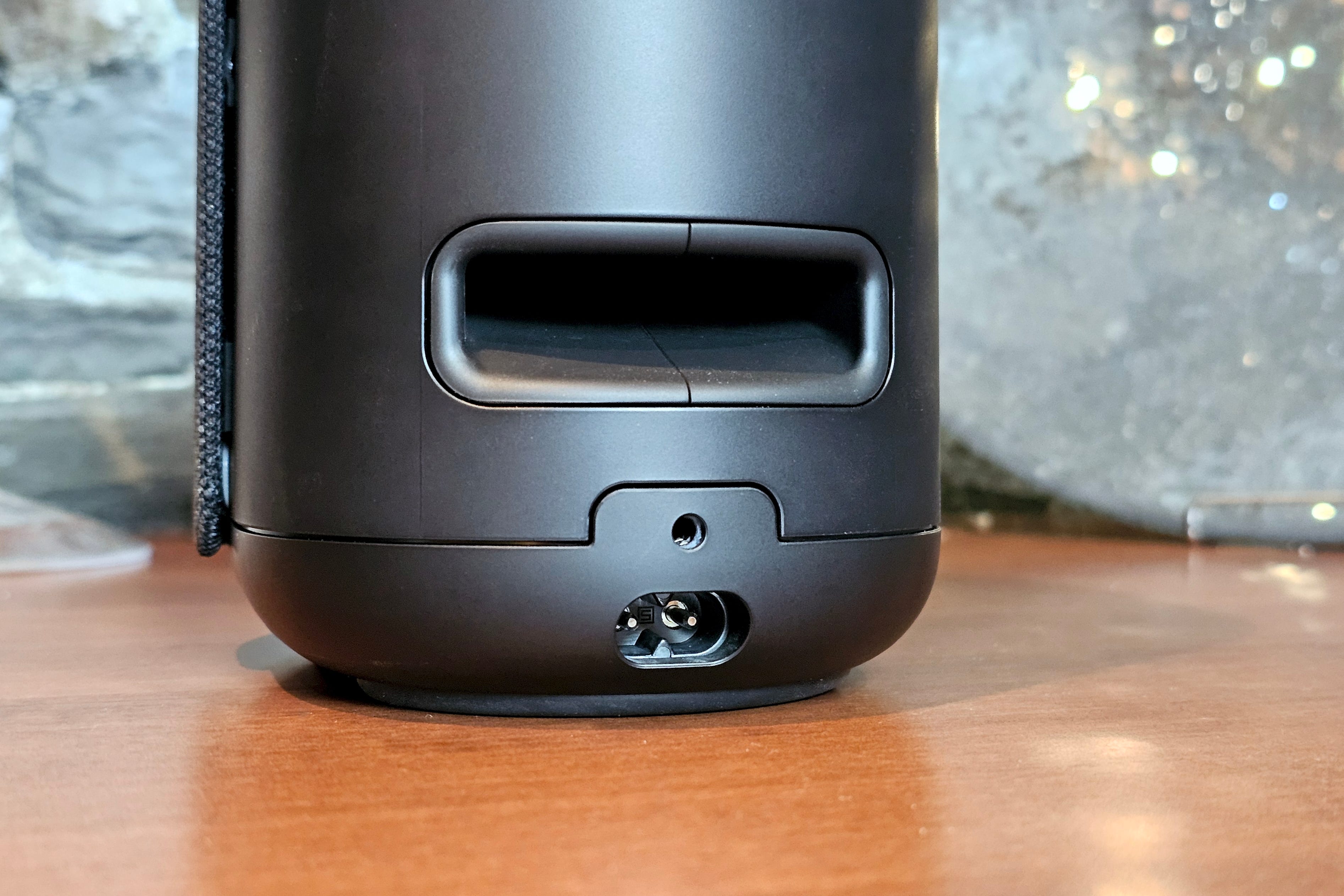
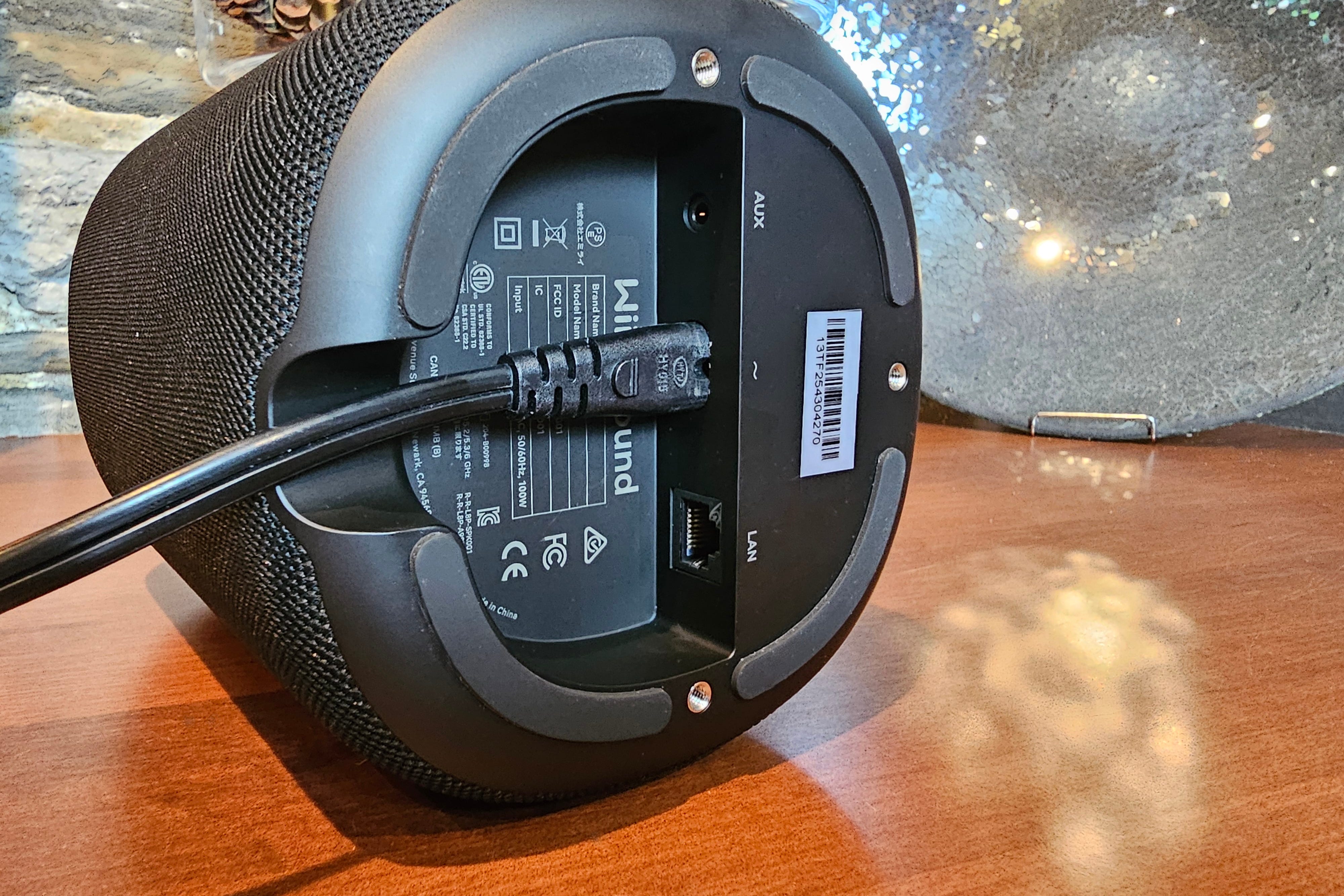
Yes! Each speaker has the option of connecting one external analog source, via a 3.5mm jack. Denon, Bose, and Wiim have these jacks built-in, but with Sonos, you need to buy the company’s optional $19 3.5mm-to-USB-C adapter.
One thing to keep in mind: If your turntable doesn’t have a “line” output (i.e., no built-in phono preamp), you’ll likely need a phono preamp to make the signal strong enough for the speakers.
What about Bluetooth?
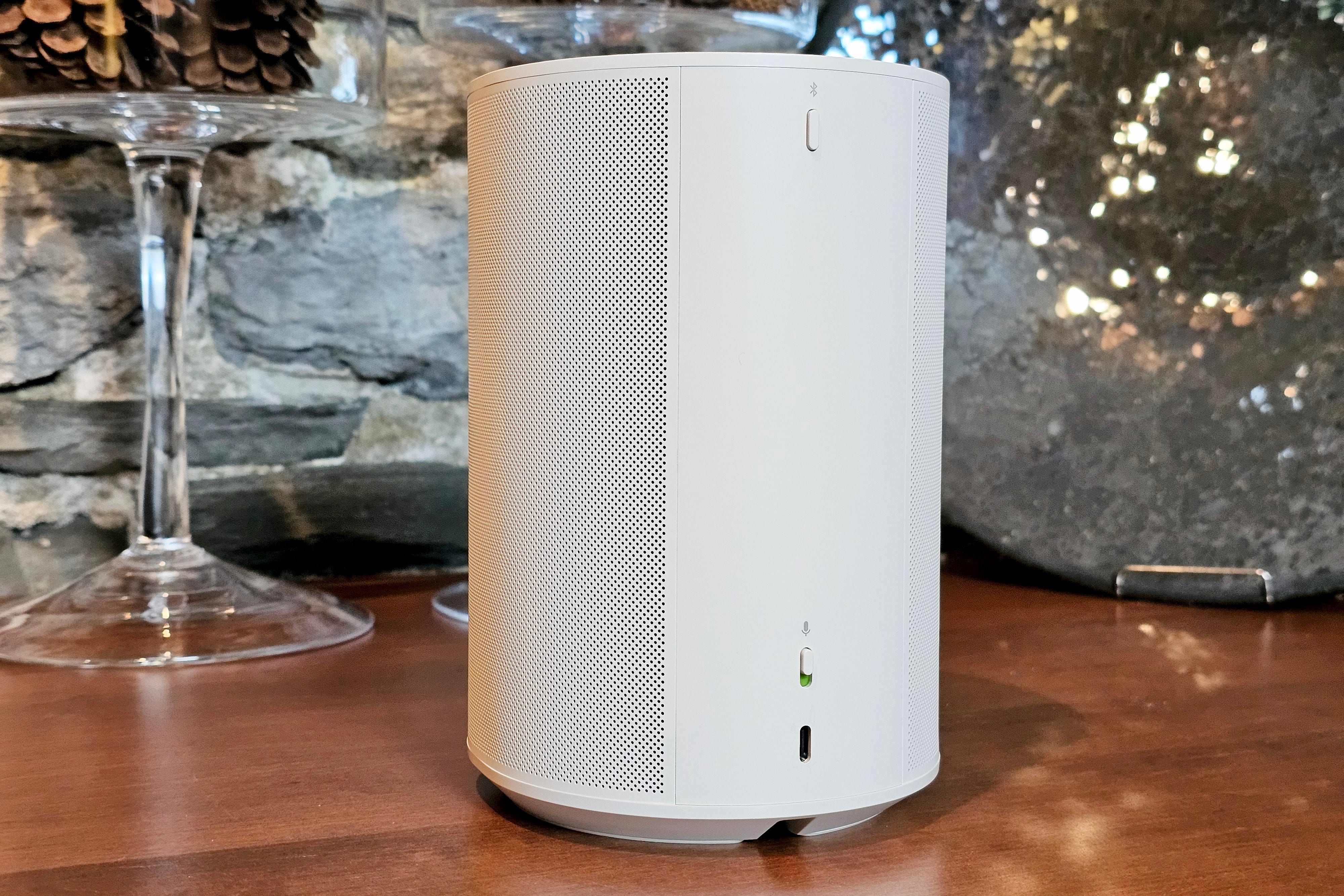
Absolutely. Each of these models can be connected to Bluetooth sources like phones, TVs, or Bluetooth turntables. The Wiim Sound, however, goes even further. Its Bluetooth feature is two-way, meaning the speaker can also send Bluetooth audio to headphones, earbuds, or any other Bluetooth-compatible products.
Wiim, Sonos, and Denon can share incoming Bluetooth audio with other same-brand speakers on your network — typically by grouping the additional speakers with the one that’s playing Bluetooth audio. The Bose Lifestyle Ultra Speakers are limited to stereo pairing — they can’t share Bluetooth audio with other Bose speakers in your home.
Expansion
One of the best reasons to buy a Wi-Fi speaker (like these) instead of a strictly Bluetooth speaker, is expandability. I touched on this briefly above in the “How do they work?” section, but it’s worth looking at the actual hardware options each brand offers.
Sonos is the leader here, by a mile. No other company sells as many compatible speakers and components. A home system that starts with an Era 100 can be expanded with soundbars, subwoofers, larger and more powerful speakers, smaller battery-powered portables, plus amplifiers and streaming add-ons for existing sound systems. Sonos even has a set of wireless headphones (the Sonos Ace Ultra), that can also be controlled by the Sonos app.
Related:

Next up is Denon. The Denon Home series isn’t quite as broad or deep as Sonos’ ecosystem (it doesn’t sell portables, for instance), but it does have a fascinating edge for hi-fi fans. Denon’s HEOS app, which controls the Home speakers, also controls several HEOS-compatible receivers and speakers from Denon and Marantz.
The Wiim Sound can be joined by several types of streaming music players, streaming amps, plus Wiim’s recently announced soundbar and wireless sub. It’s an ecosystem that still can’t rival Denon or Sonos, but at the pace it’s growing, that might not be the case for much longer.
Bose’s expandability for the Lifestyle Ultra Speaker is currently limited to the Bose Lifestyle Ultra Soundbar and the Lifestyle Ultra Subwoofer. It’s worth keeping in mind that while these products are designed to work together (you can add two Lifestyle Ultra Speakers and a Lifestyle Ultra Subwoofer to the Lifestyle Ultra Soundbar, for example), there’s no central management for how these components get grouped or ungrouped throughout your home — that’s handled by Apple AirPlay or Google Cast.
Sound quality
At first listen, these four speakers sound remarkably similar. They all sound great for their size, and they have similar thresholds for how loud they can get.
I have zero complaints about bass response, vocal clarity, or midrange performance. Power is tightly managed, reducing the chance of distortion, even at maximum volume.
Still, there were noticeable differences once I got deeper into my usual list of test tracks. For instance, there’s a strong correlation between the size of the speakers and the sound they produce.
The Denon Home 200 is the largest and so is its sound. It provides more powerful bass, and it has the widest soundstage of the group. It’s also the only speaker among the four that can play Dolby Atmos Music, directly from Amazon Music Unlimited and Tidal. At first I was skeptical that a single speaker, especially one as compact as the Home 200, could recreate the width, height, and depth of an Atmos Music track. The height portion is mild, but the extra width is truly impressive.
On the other end of the soundstage spectrum is the Bose Lifestyle Ultra Speaker. Its sound is more narrowly focused. That’s partly because it’s a mono speaker, (the other three are stereo), and partly because Bose opted to include an up-firing driver in the cabinet. That’s an odd choice, especially for a speaker that isn’t Dolby Atmos-compatible on its own. That top driver comes in handy when you pair a set of these speakers with the new Bose Lifestyle Ultra Soundbar — it helps deliver Atmos height effects — but it doesn’t do much when the speaker is operating solo.
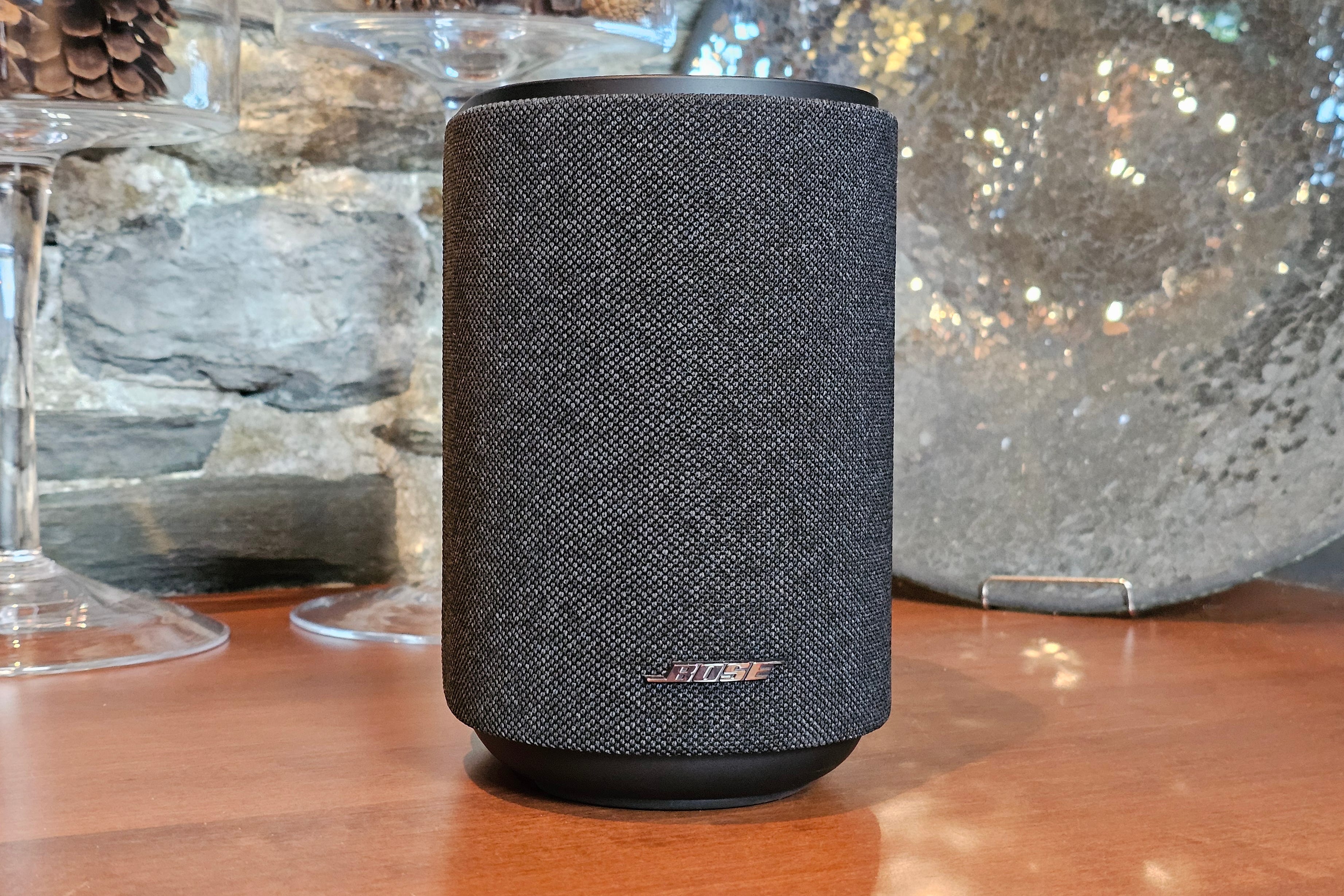
Still, I’ve got to hand it to Bose. It knows how to get lots of bass from small enclosures, and the Lifestyle Ultra Speaker outperforms the Era 100 on low-end response.
The Wiim Sound sits somewhere between the Sonos Era 100 and the Denon Home 200 on all of these metrics. It’s got a fuller, wider sound than the Era 100, with slightly more pronounced bass, yet it stops shy of hitting the Home 200’s commanding performance.
Which brings me back to the Era 100. Once again, Sonos manages to pull off a Goldilocks move, by giving the Era 100 a fantastic price-to-sound-quality ratio. The Bose Lifestyle Ultra Speaker costs almost 60% more than the Era 100, but I don’t think it sounds 60% better. The Denon Home 200, on the other hand, costs 82% more than the Era 100, and while I don’t think it delivers 82% better performance, the sonic bump is noticeable.
A few quick notes on tuning:
Sonos has a room calibration function called TruePlay, which you can further tweak with simple bass/treble adjustments.
Denon lets you tune the Home 200 to match three possible speaker placements (near one wall, near two walls, or away from walls) plus simple bass/treble/width adjustments.
Bose has simple bass/mids/treble/height adjustments.
Wiim calls its room calibration RoomFit. It also has EQ presets, a multi-band equalizer, and even a parametric equalizer for those who know how to use one. You can even assign different EQ settings to your different sources (Wi-Fi, Bluetooth, line-in, etc.), but it lacks a simple set of sliders.
How do you choose?
As always, choosing the right product should start with your current budget, needs, and tastes, and keep your potential future needs in mind.
If you want a super-simple setup and you typically head straight to your favorite streaming app on your phone when you want to play music, the Bose Lifestyle Ultra Speaker is your best bet. It sounds great, it works really well as an Alexa+ smart speaker, you can run two of them for stereo, and it gives you Bluetooth, AirPlay, and Google Cast connections -- solid options whether you’re on an iPhone or an Android device. The analog input delivers even more versatility for devices like turntables.
However, if you’re keen to expand into a multiroom system with speakers all over your home, or if members of your family want to adjust what’s playing without blowing up your current playlist, the Lifestyle Ultra may not be the right speaker for you. Likewise, if you have access to multiple sources of music (e.g., Apple Music, Spotify, Audible, and a personal collection of ripped CDs), the Lifestyle Ultra doesn’t offer a single interface for managing them.
If, on the other hand, you’re planning to outfit your whole home over time, Sonos and Denon are a better fit. My bias is toward Sonos. It has a much broader range of devices to choose from, and it’s natively compatible with more streaming services. And despite its nearly two-year-long app redesign misadventure, its new direction looks genuinely innovative at a time when most wireless audio companies are content to keep offering the same features we’ve seen for the last decade.
Still, if you’re looking for the best sound quality from a single speaker, Denon’s Home 200 is the one to get.
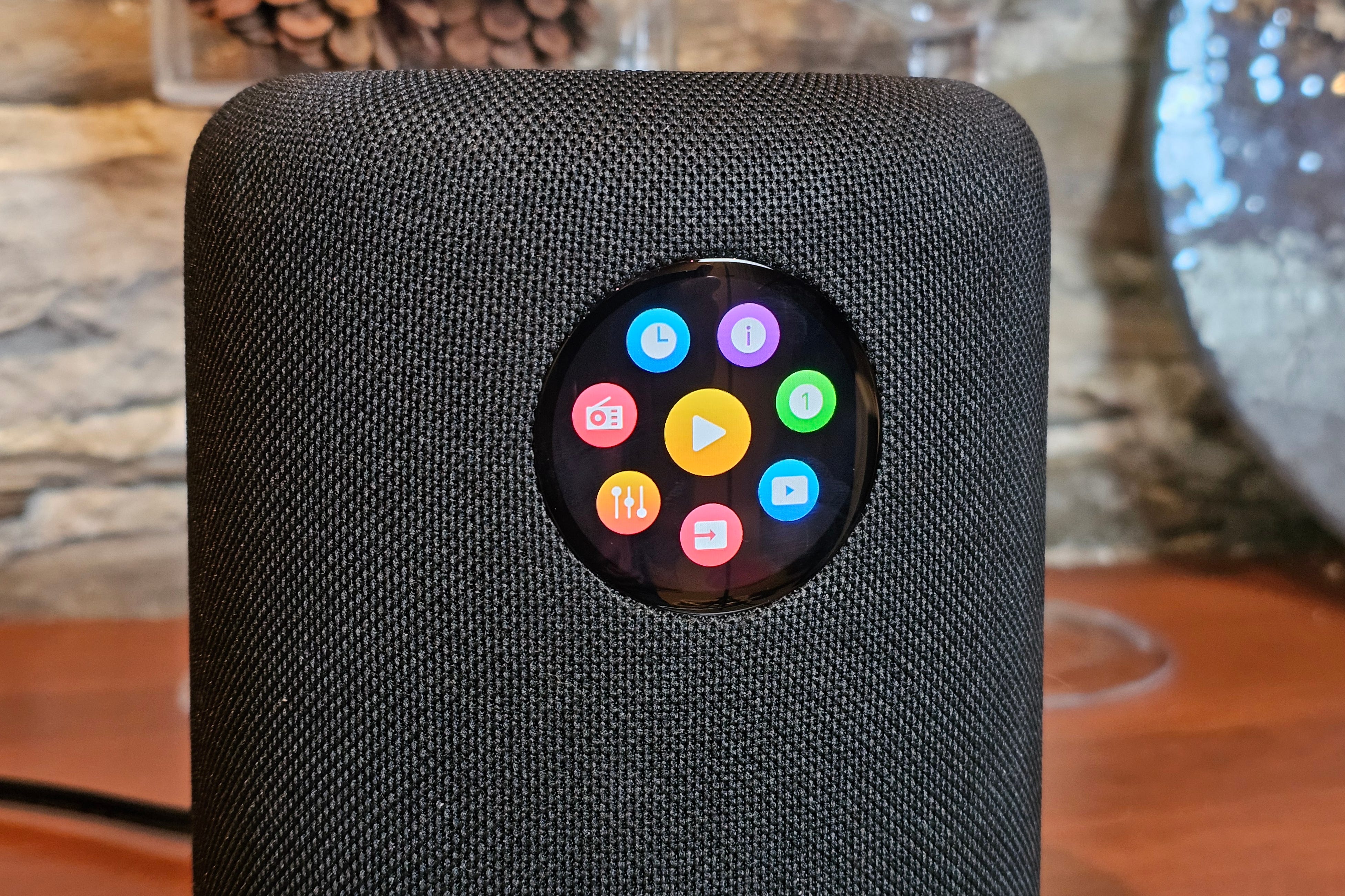
The Wiim Sound is a real outlier. The built-in touch display is undeniably unique, and the Wiim Sound is also the only speaker in this group that comes with its own remote. This is the speaker you buy if you want to grow a multiroom system over time and you’re a bit of a renegade. Wiim’s products appeal to the same kind of people who choose Android phones over iPhones. They don’t mind sacrificing a little simplicity in order to get more control and way more features and customizations.
About the Sonos Era 100 SL and Wiim Sound Lite


Do you need a smart speaker? If the answer is no, the Sonos Era 100 SL saves you $30 on the cost of an Era 100, and all you lose is the ability to use the speaker for voice control. The good news is that if you already have an Alexa-powered speaker in your home (whether a Sonos model or someone else’s), it can still control an Era 100 SL. Same thing goes for Google Assistant and Siri — just add the Era 100 SL to your Google Home or Apple Home app.
The Wiim Sound Lite represents a different trade-off. For $70 less than the Sound, you lose the fun circular touchscreen and the Sound’s sleek voice-enabled remote. However, the absence of the touchscreen doesn’t change the Sound Lite’s capabilities, and if you want, you can always buy the Wiim Voice Remote ($20) or Voice Remote 2 ($40), both of which will give the Sound Lite smart speaker functionality via Amazon Alexa.
Either of these options are an excellent way to get the most out of a whole-home wireless speaker for a lot less money.
Transparency promotes trust. Please check out my disclosures page, which describes how I work with manufacturers to acquire product samples, and how I guard my editorial independence.
If you enjoyed this Loudmouth article, please consider subscribing. It supports my work and ensures you won’t miss out on future coverage.
If you buy through links on this page, I may earn a small commission at no extra cost to you. As an Amazon Associate, I earn from qualifying purchases.