


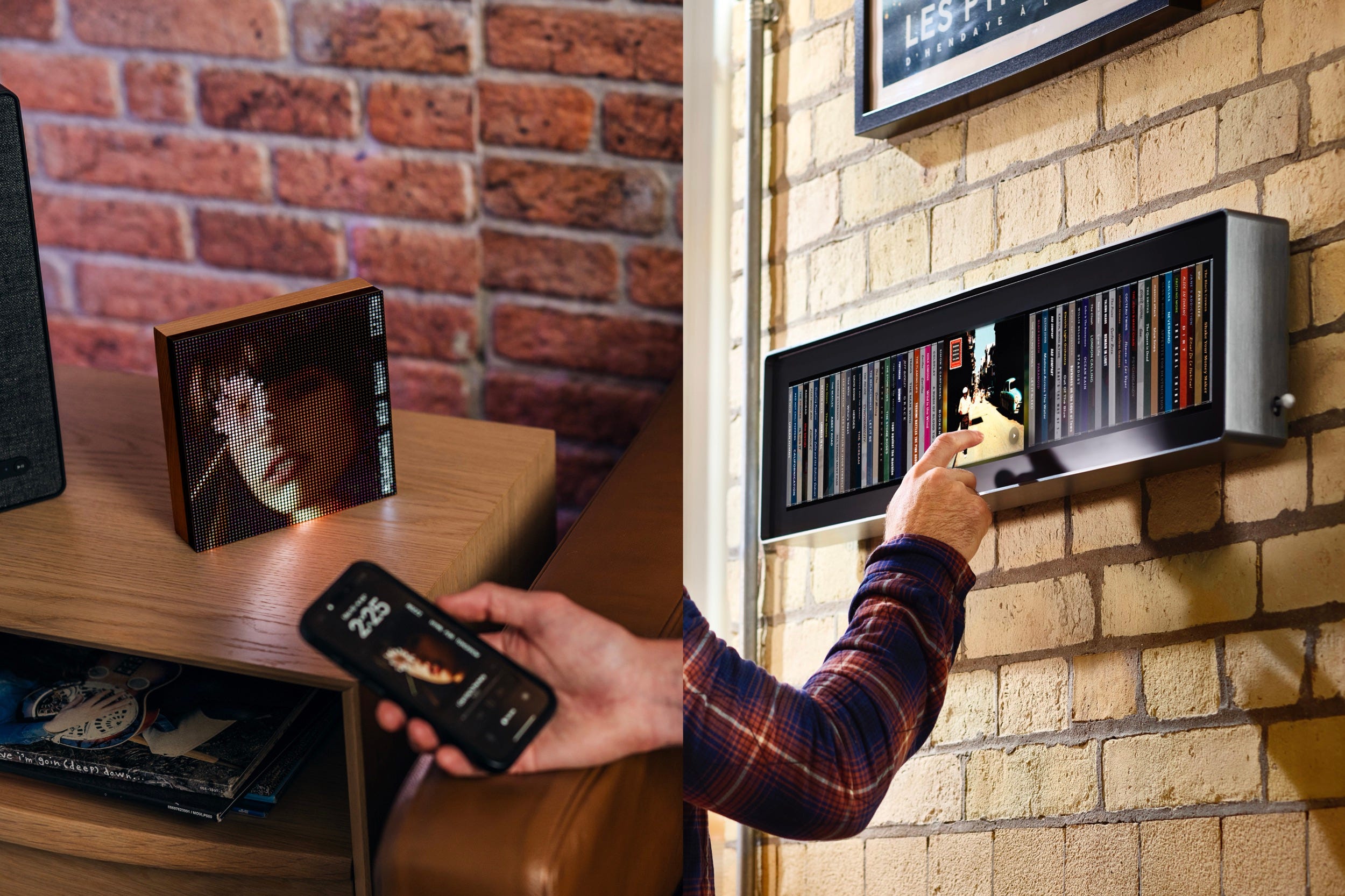
It doesn’t take a PhD in psychology to understand that the resurgence of interest in vinyl, CDs, vintage iPods, and even cassette tapes is less about sound quality, and more about people’s desire to feel connected to their music in a way that streaming services can’t offer.
The tactile experience of holding an album, dropping the needle, or pushing on a mechanical play button scratches an itch some of us didn’t even realize we had.
But since it’s unlikely that we’re going to ditch streaming entirely, the question is whether there’s a way to bring at least some of that real-world experience to our favorite streaming services.
I’ve found two products that attempt to solve this problem. One is a relatively affordable product you can buy right now and the other is currently a crowdfunded project with a whopper of a price tag.
Tuneshine ($199.99 and up), tuneshinerocks.com
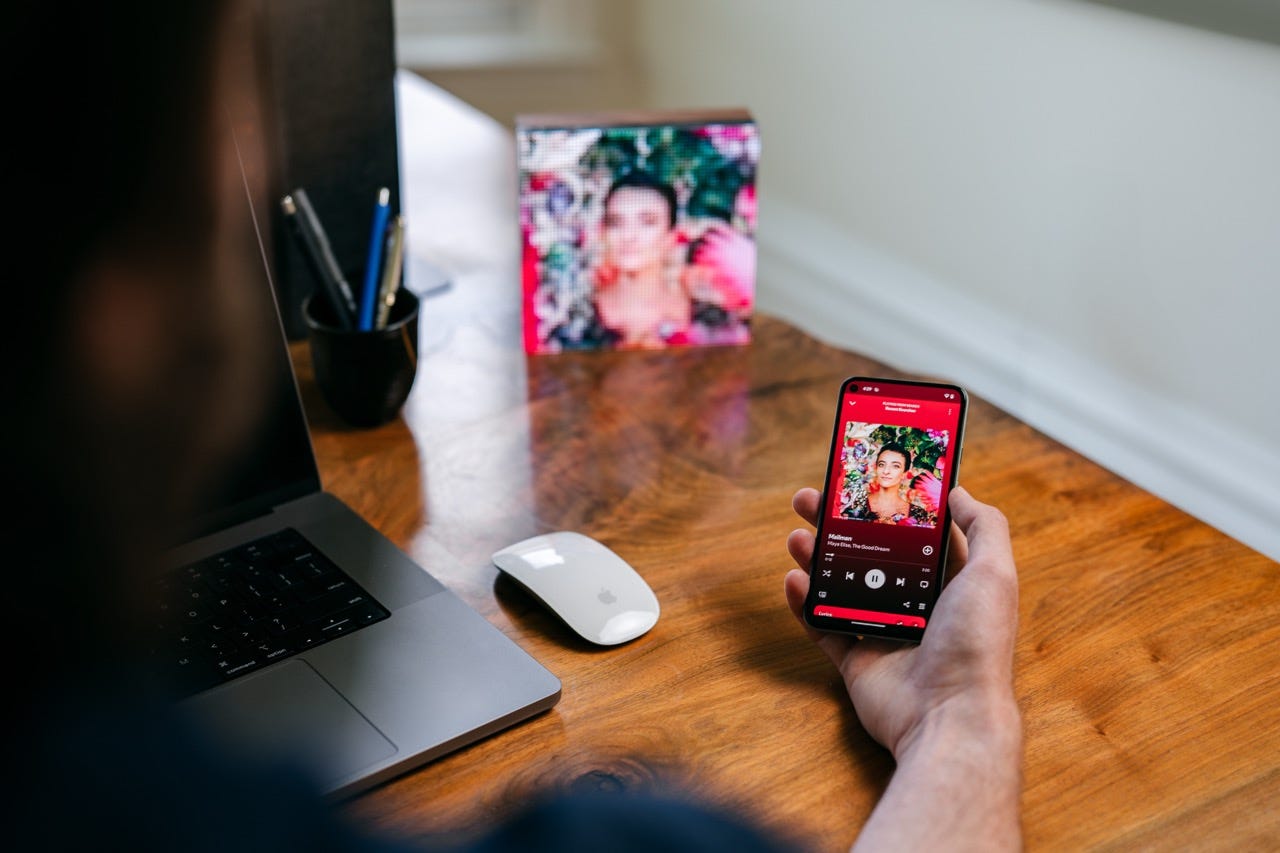
Think of Tuneshine like an album display stand for streaming music. It’s a 6.3” x 6.3” square LED display that shows your currently playing album artwork as a bright, albeit very pixelated piece of art. When the next song starts, the Tuneshine updates to the new album cover. That’s it.
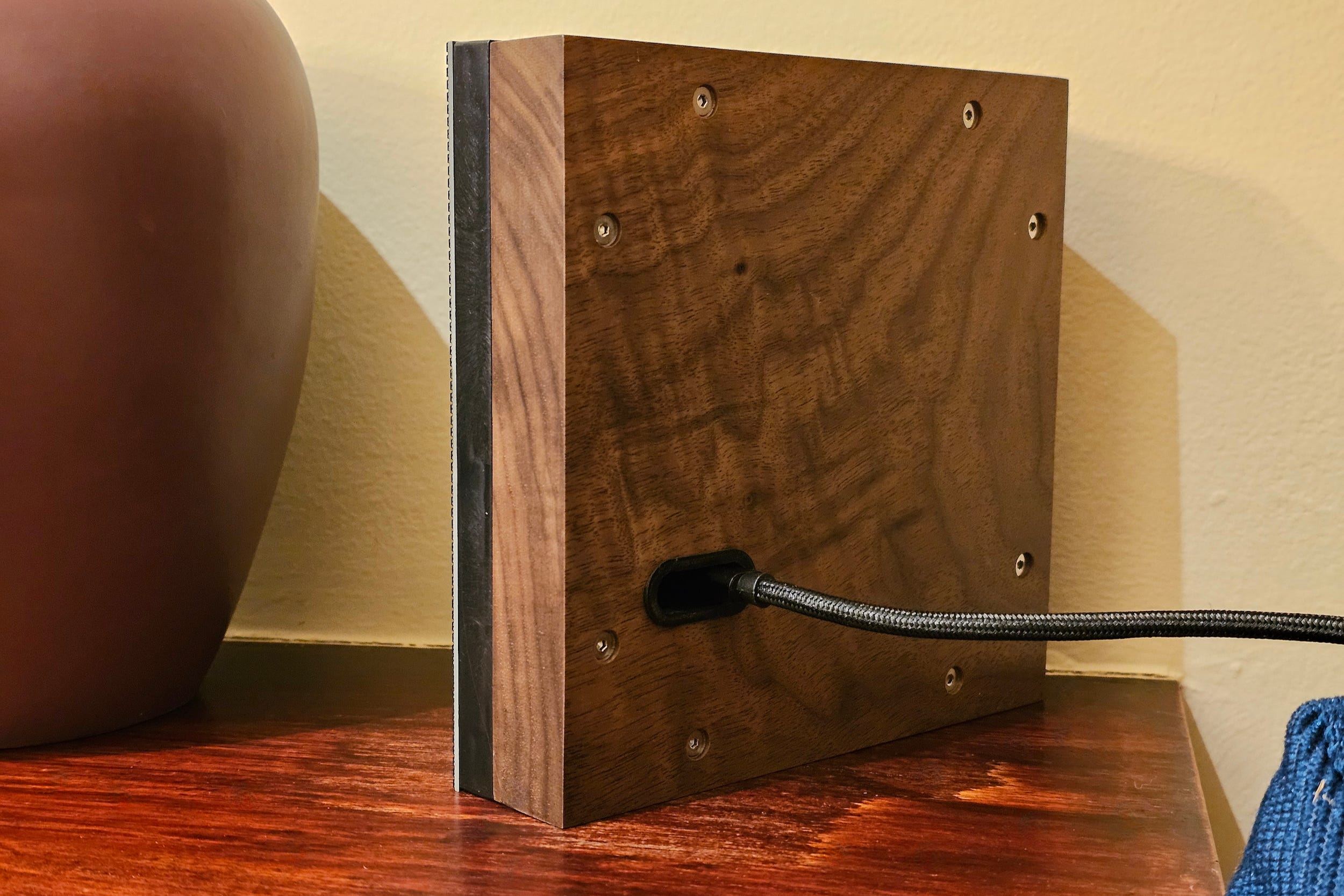
The back is made from a solid slab of beech wood (or you can upgrade to walnut for an extra $20), while the front is a thin layer of RGB pixels that form a 64 x 64 grid.
There are no on-board controls — just a USB-C power port carved into the wood (it comes with a cable and an AC adapter). All of the settings are controlled via the free Tuneshine app for iOS or Android.
At the moment, Tuneshine works best with multiroom audio systems like Sonos, Wiim, and Roon, but it also works directly with Spotify and Apple Music. Some services, like Tidal, Deezer, Pandora, and YouTube Music can be accessed via Last.fm.
Setting it up with Sonos, as I did with the walnut evaluation unit Tuneshine provided, gives you the best of all worlds. Not only can Sonos play music from just about every service on the planet, but the Tuneshine app also lets you specify which Sonos speaker will act as the DJ.
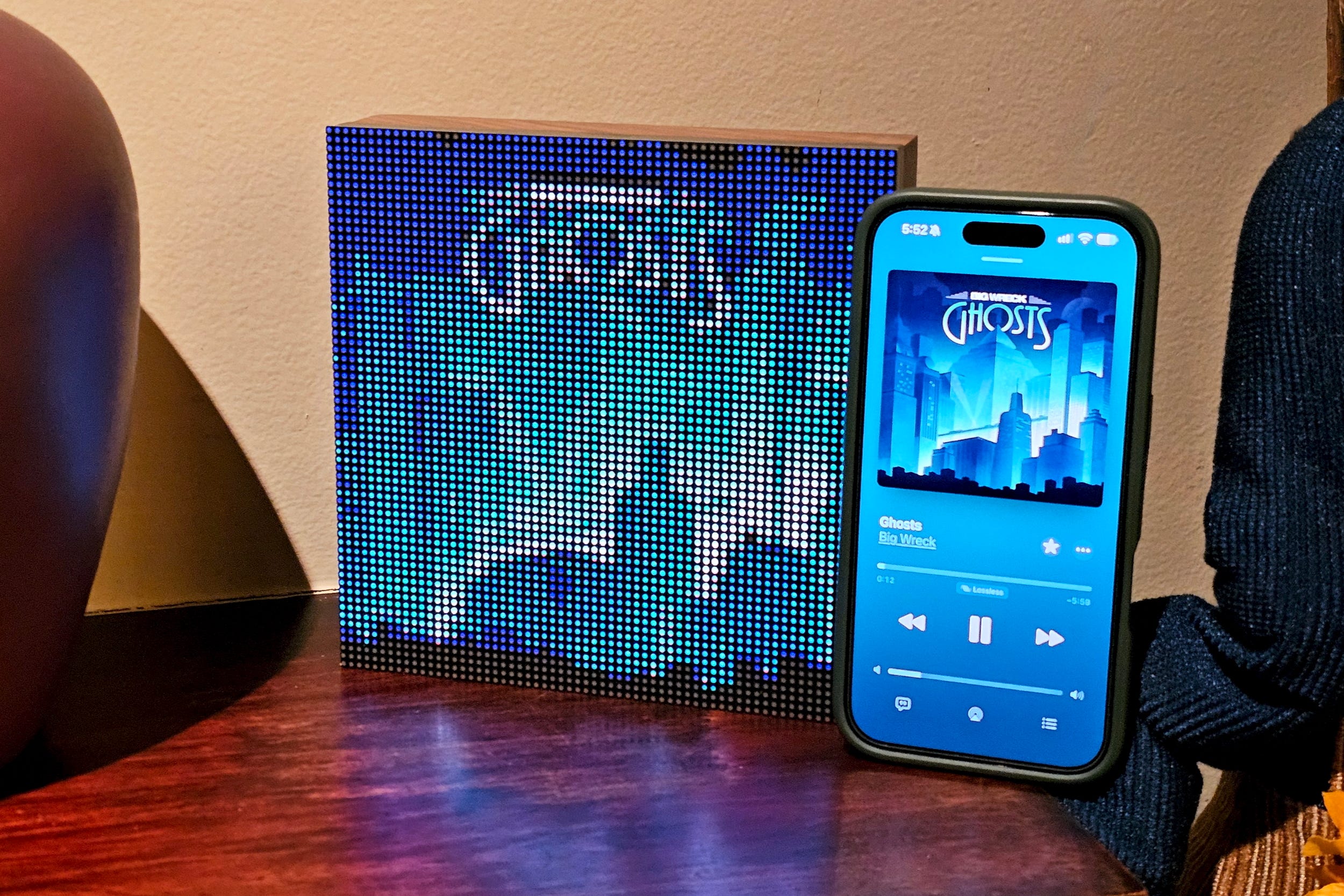
I placed the Tuneshine on our fireplace mantle and set it to synchronize with our “Living Room” in Sonos. After that, it seamlessly displayed low-res, but highly colorful versions of the album art I could see in the Sonos app. It worked for all of my connected services as well as tracks from our own networked-stored music library.
To appreciate Tuneshine, you need to think of it as a mood or decor enhancer. A better name might have been TuneVibes, because in truth, it doesn’t give you an album cover you can stare at, ponder over, or admire.


Any text needs to be a main graphic element, otherwise it’s completely unreadable — Lorde’s Pure Heroine is a perfect Tuneshine album cover. On The Police’s Greatest Hits, “The Police” takes up a full third of the image and is clear and distinct on the Tuneshine. The words “Greatest Hits” barely register a small smear of grey.
Tuneshine works best as a reminder of an album you’ve already seen a million times. It’s a lot less effective when you’re unfamiliar with the album that’s playing.
I think it’s fair to say that no one needs a Tuneshine, but after spending a few weeks with one, I kinda don’t want to give it up.
Spine (£849, or approximately $1,100 USD), Kickstarter, U.K.-only
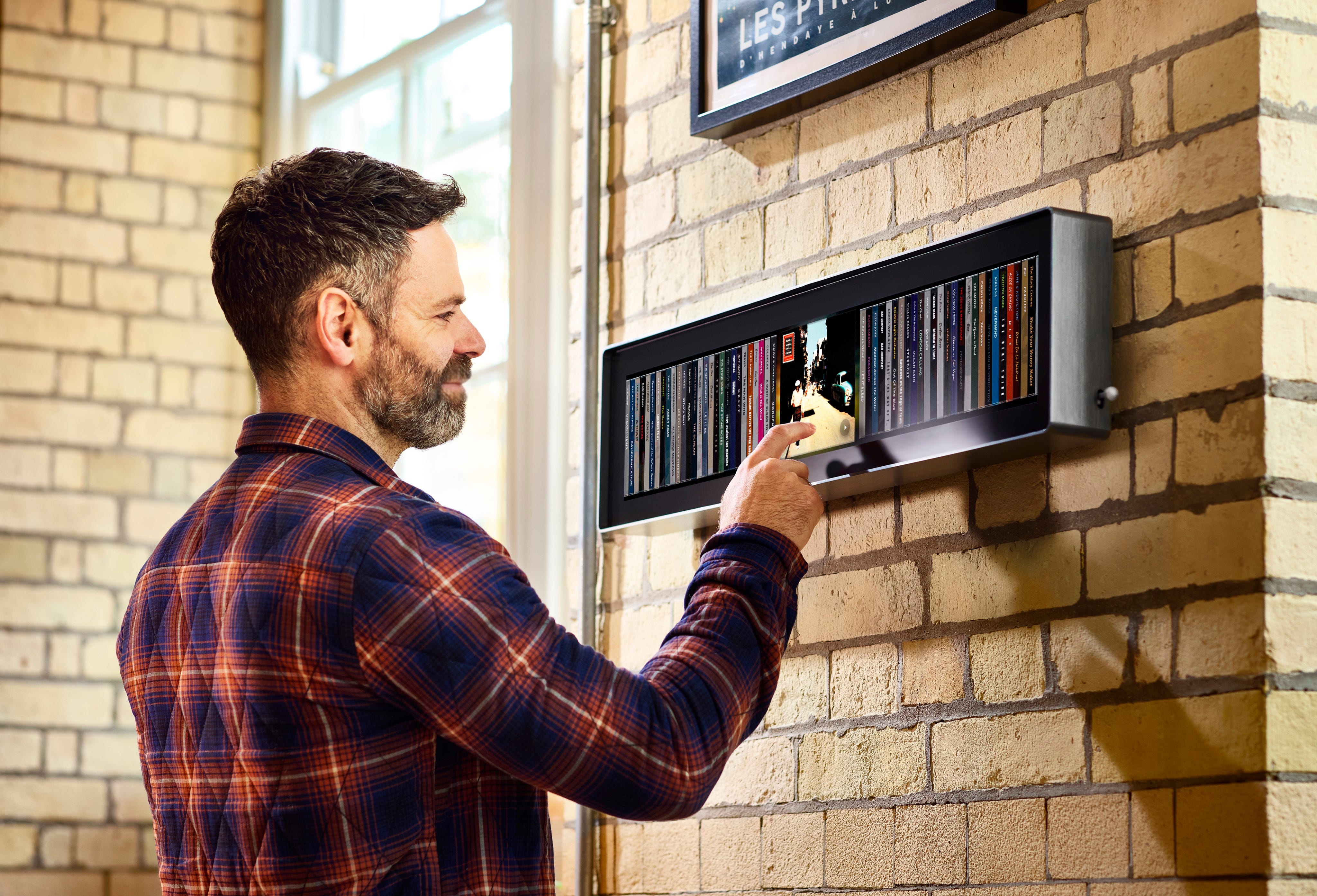
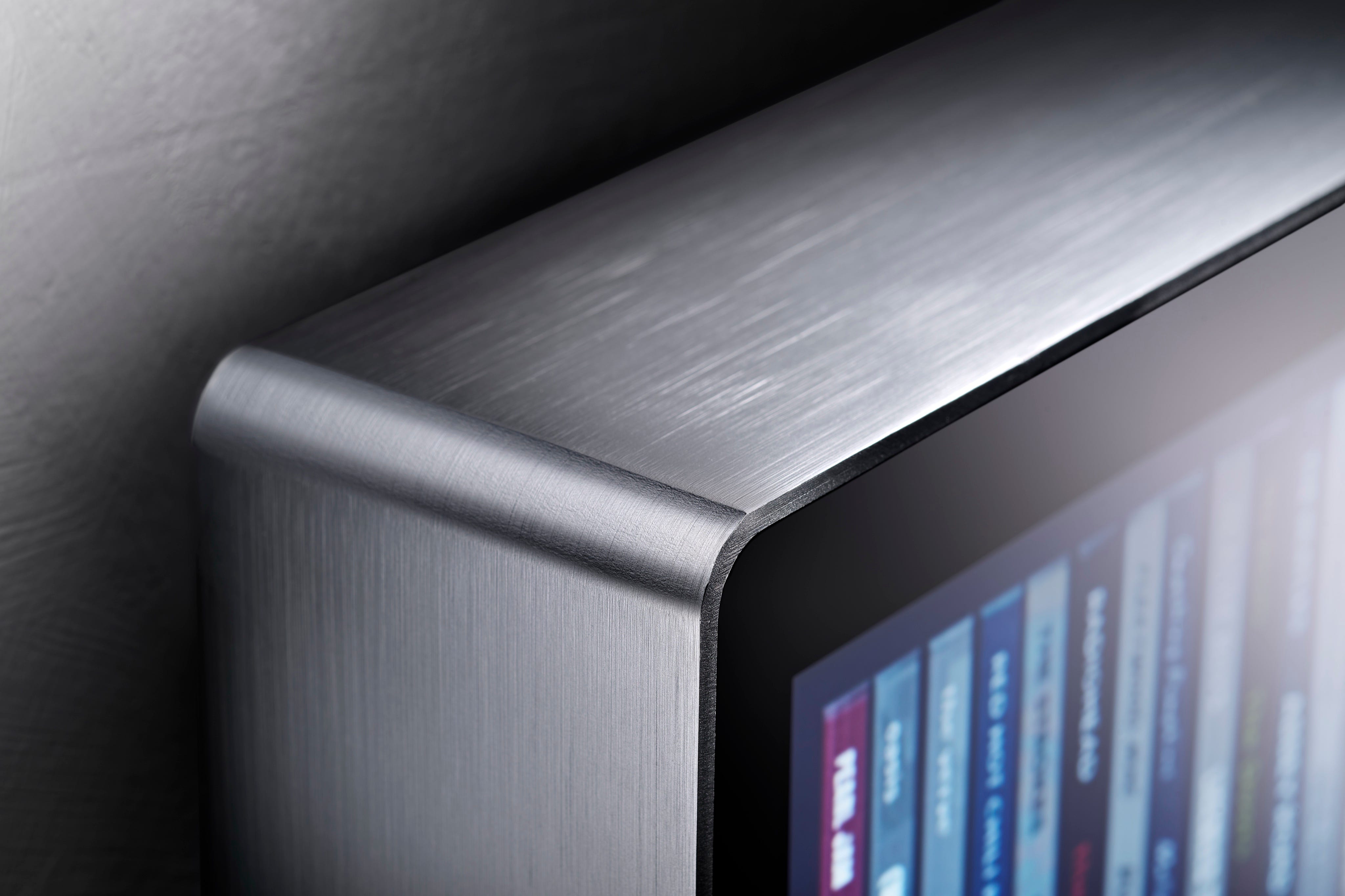
At the other end of the spectrum from Tuneshine is Spine, a 30-inch-wide, brushed aluminum-wrapped touchscreen designed to turn your streaming music library into a virtual CD collection that can be seen from across the room, and browsed/played with just the swipe of your finger.
Spine is the brainchild of Ricardo Amorim, founder of Spine Music, and he’s currently testing the waters for Spine on Kickstarter, where early backers can pledge £849 to receive one of the first Spine units, which are targeted to ship in July 2027. The first batch will only ship within the U.K., but Amorim is hopeful he’ll be able to add other markets for future production runs.
Like Tuneshine, Spine connects via Wi-Fi and uses your account credentials to synchronize with your music services. But Spine’s secret sauce is the way it displays content. Instead of simply pulling the album art, Spine recreates it as a virtual CD jewel case, complete with a real-world accurate rendering of the CD’s spine (thus the name), and stacks it on a horizontally scrolling shelf.
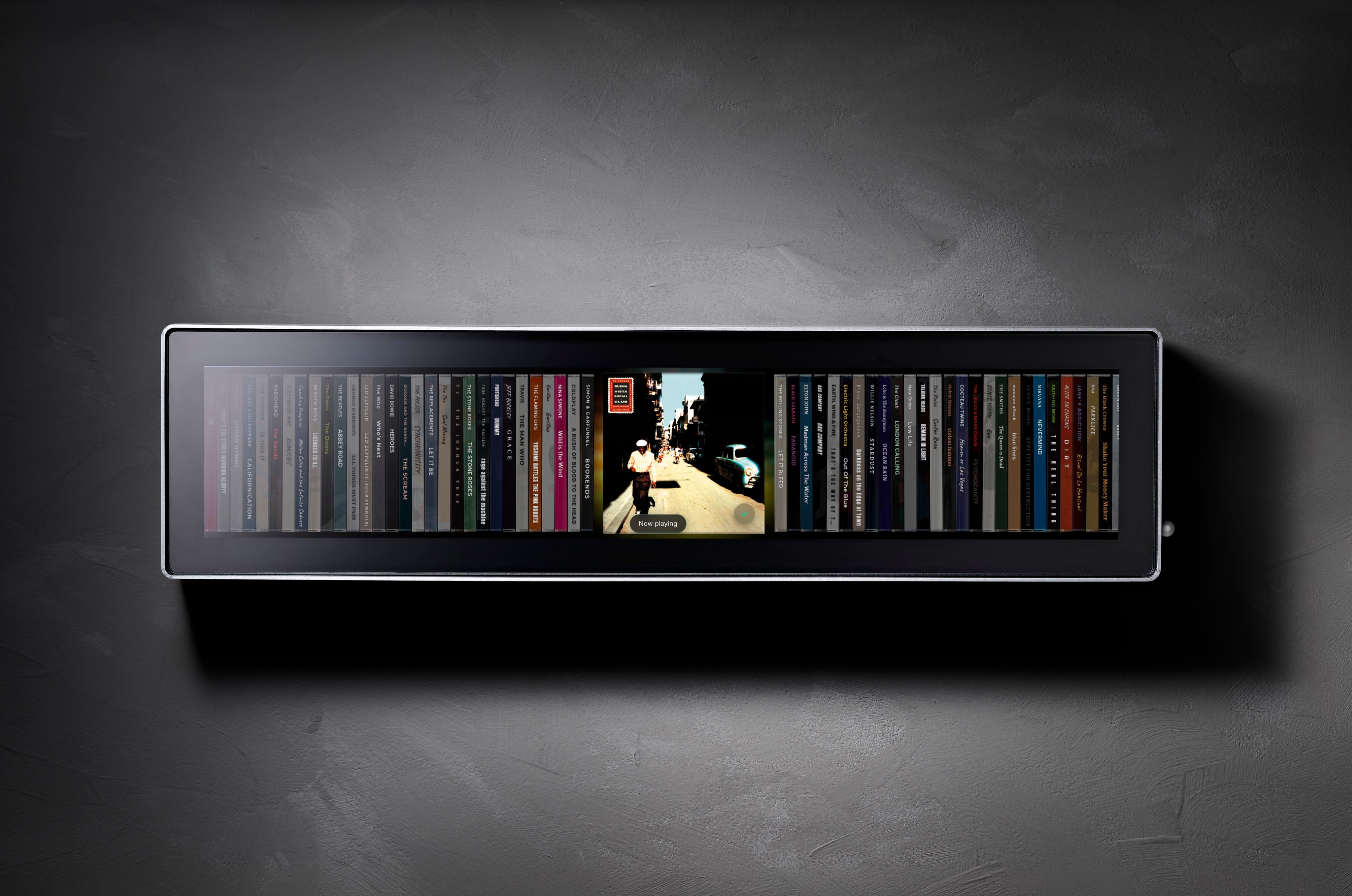
Amorim’s belief is that you probably have years of embedded memories of your favorite CDs, sorted in some kind of physical rack; you’re used to seeing their spines and grabbing them. Spine brings back this experience without bringing back the CDs, or the potentially massive amounts of physical storage space they’d need.
How much space could you save? Amorim says his team has tested real libraries of up to 10,000 albums. Spine can be wall-mounted, or placed on a flat surface.
Once you’ve identified the CD you want by its spine, a tap flips it to a frontal view so you can see the album art, and a follow-up tap begins playback. Sadly, the back of the album isn’t available.

Spine’s physical presence and its price are both audacious, but it’s worth understanding its current limitations before you dive in.
At the moment, Spine only works with Apple Music, Tidal, or Spotify. You need to have both the streaming music app and the Spine Music app loaded on your phone, because when you trigger playback from Spine, it’s actually a remote command to your phone, not to your sound system.
This keeps Spine very flexible: it doesn’t matter if you’ve been playing your music via headphones, a bluetooth speaker, an AirPlay connection, or possibly Google Cast, that’s the playback path that will be used when you interact with Spine. However, it also means that, for now at least, Spine’s entire raison d’être is to provide a pleasing tactile and visual way to browse a defined collection of songs and albums, from a single source.
You can’t use Spine to control volume, pause a playing stream, skip tracks, select a different speaker, or show you what’s currently playing if you didn’t initiate playback from Spine. There’s no way to search within your collection and no way to search or browse content that lives outside your collection e.g. Spotify’s Today’s Top Hits.
The closest analogy I can come up with is a jukebox, but even that doesn’t quite describe the Spine experience, since a jukebox typically lets you select and play individual tracks. Spine, on the other hand, shows you full album covers, even if your collection only includes a single song from an album. Seeing the spine for Pink Floyd’s The Dark Side of the Moon, could mean you added the entire album, or just your favorite songs; there’s no way to know without checking your phone.
Spine’s support for Apple Music and Tidal is excellent: The system can automatically look for changes to your library (or you can push them manually) and triggering playback is a one-tap process. The Spotify integration is clunkier: You need to use the third-party TuneMyMusic service both initially and any time your collection changes. Playback requires a tap on Spine, then another tap on a pop-up notification on your phone.
There’s a big part of me that thinks $1,100 USD is a wildly high price to pay for Spine, given its limitations. And yet, I haven’t seen any other product that does what Spine can do. For someone who wants a way to proudly display and browse their digital music collection (and who wants the bragging rights that would almost certainly come with owning a Spine), maybe it’s an entirely justifiable expense.
If you enjoyed this Loudmouth article, please consider subscribing. It supports my work and ensures you won’t miss out on future coverage.
Disclosure: If you buy through links on this page, I may earn a small commission at no extra cost to you. As an Amazon Associate, I earn from qualifying purchases.