


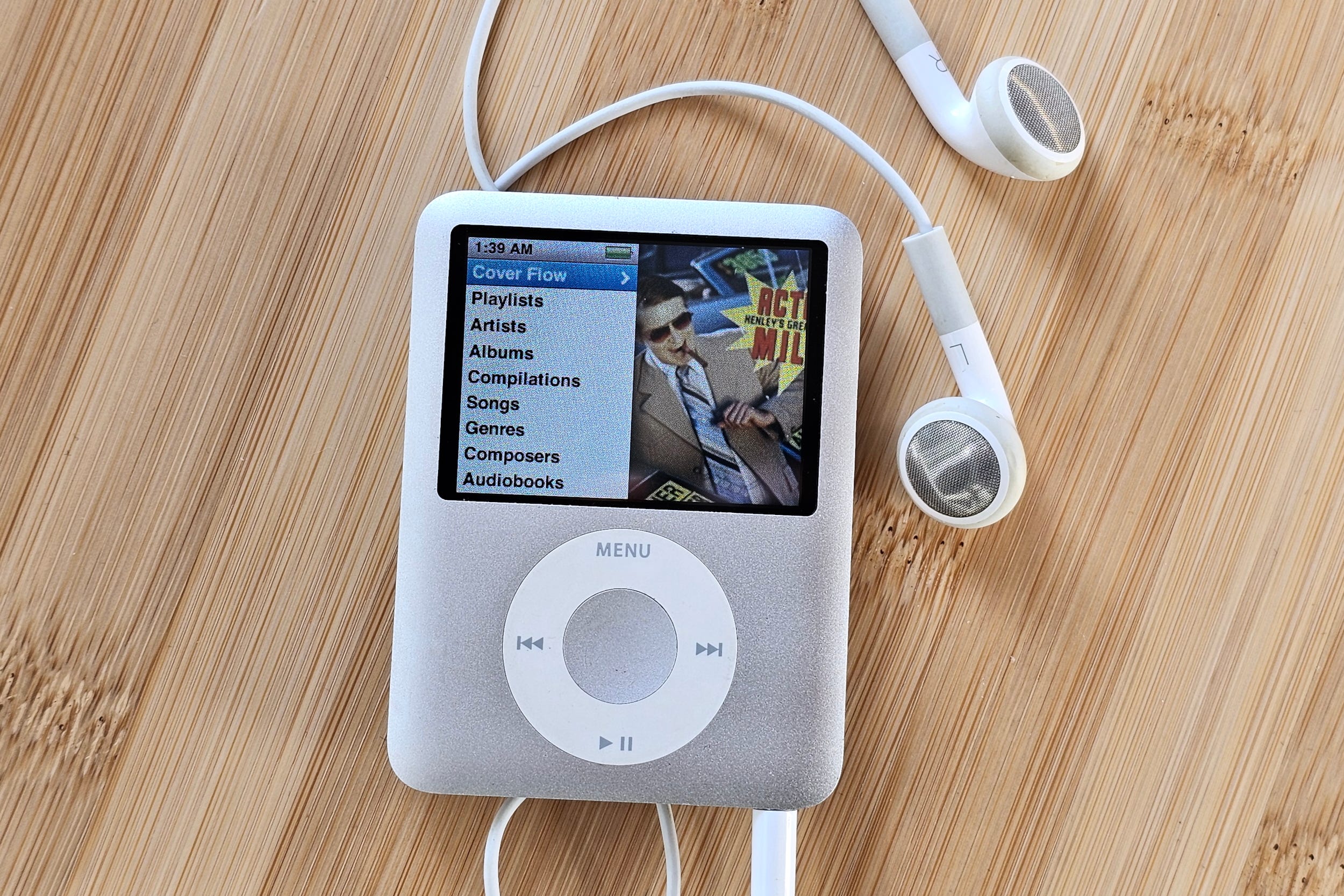
First it was the vinyl resurgence. Then CDs. Lately, cassettes appear to be on the rebound (along with portables and boomboxes that play them). But I just learned of the latest nostalgia-inspired trend: buying vintage iPods, and I think it deserves a look.
There’s always been a strong argument for owning a dedicated Digital Audio Player, or DAP as the whole category is now referred to. Better audio quality, a separate battery that won’t drain your phone, and a built-in headphone jack (sometimes two of them) to replace the one that’s no longer on your phone. The retro iPod trend isn’t about any of this.
It’s part of a larger hunger for a different time. One in which our devices weren’t constantly pinging us with notifications, there were no algorithms deciding what we saw or listened to, and we actually owned the music we listened to. It was a time when we had to actively think about the music we wanted, because there were no on-demand music services and no magic play button that could spoon-feed us content 24/7, endlessly.
If these ideas are resonating with you right now — even if you’re too young to have lived through the golden era of the MP3 player — you may be on the prowl for a vintage Apple iPod.
I don’t want to talk you out of it, because vintage tech can be a blast (my son’s 2002 iMac G4 is like a walk down memory lane). But it does come with potential pitfalls, not to mention a workflow for getting music you may not be prepared for.
Disclosure: If you buy through links on this page, I may earn a small commission at no extra cost to you. As an Amazon Associate, I earn from qualifying purchases.
Vintage iPods: buyer beware
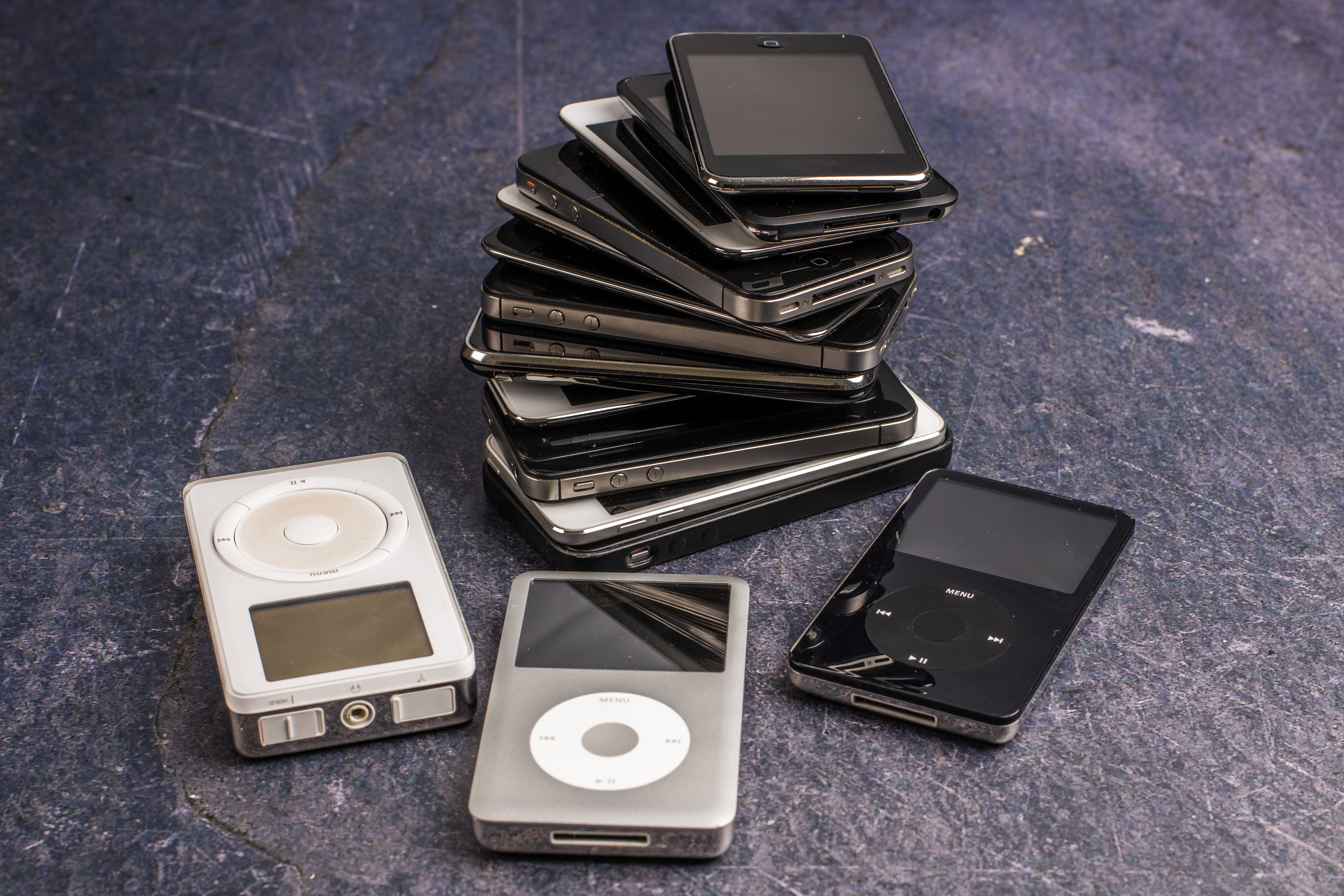
A non-exhaustive list of things you need to know:
Battery: Depending on the model you’re considering, the internal rechargeable battery could be up to 25 years old. Even if it still holds a charge, it won’t last anywhere close to its original spec.
It can be a real crap shoot: My wife’s 3rd gen Nano, which I bought for her in 2007, still takes a charge. My much more recent 3rd and 4th gen Shuffles won’t charge at all. Replacement is definitely an option, but with a major caveat: All Shuffle, Nano, and Touch iPods use batteries that are soldered into place. Even if you can crack open the case without causing damage, replacing these batteries requires skill and special tools.
Hard-drive: iPod Minis and Classics use tiny, spinning disks for storage, not the solid-state disk (SSD) flash memory used by other models. This gives them way more space for music, but, like any motorized part, it will eventually fail. When they do, most enthusiasts replace them with SSDs, but again, it’s not an easy swap if you aren’t technically inclined. How to know if a used iPod is close to failing.
Headphone jack: This is simultaneously the most likely part to fail (I’ve never owned a portable player that didn’t eventually end up with a janky jack) and the hardest part to verify. A seller can prove an iPod holds a charge, powers on, and lets you navigate using the buttons/wheel. It’s much harder to prove the headphone jack is reliable.
Plus, a few annoying but not deal-breaking realities:
Syncing on Windows: Windows 11 users may find that iTunes won’t let them sync their songs to their iPod.
You need to own your music: You need physical song files on your computer before you can transfer them to your portable and you can’t use the offline files provided by your streaming service. I have some suggestions on this below.
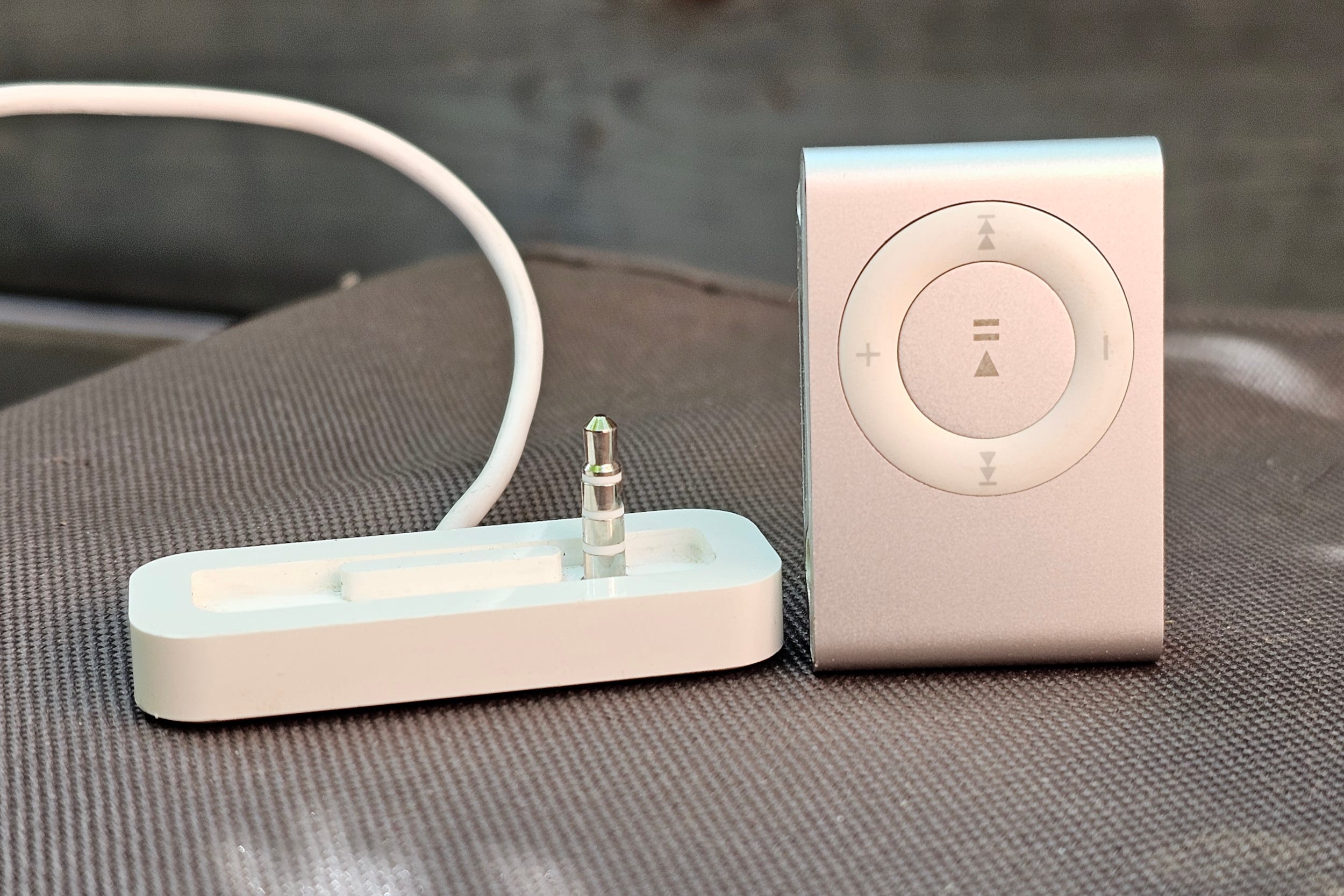
Old tech, old cables: pre-2012 iPods use the 30-pin dock connector. Post-2012 use Lightning. If the iPod you’re buying doesn’t come with one, it’s not a big deal (Amazon sells USB-C versions of both), but without one, your vintage iPod is just a fancy paperweight.
Oh, and a note on the gleaming little silver stick that is the 3rd gen iPod Shuffle: avoid it
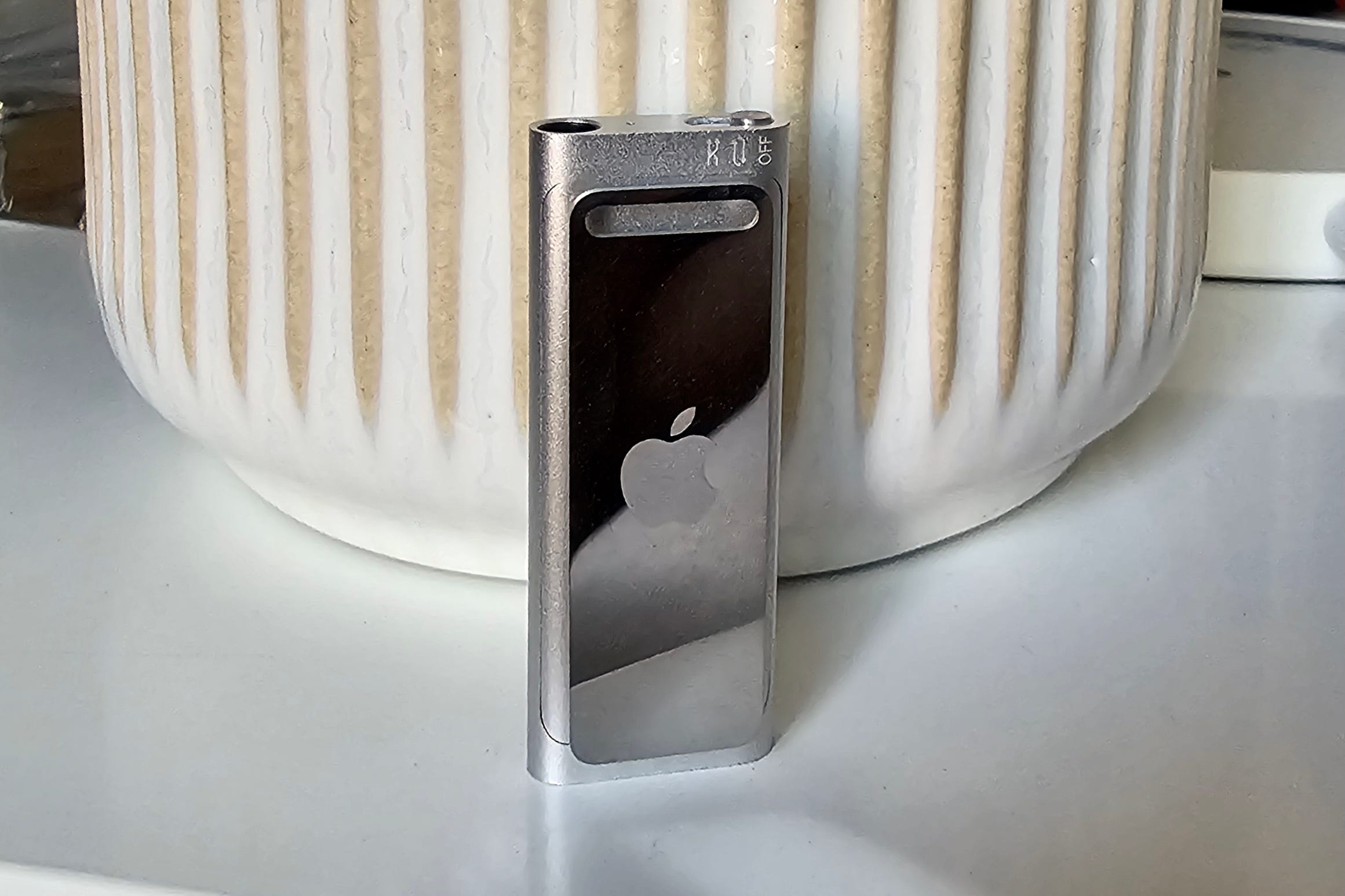
Unless the seller includes the original Apple wired earbuds, this thing is a dead end. There are no physical controls for playback or volume (just three-way power switch that also controls playback modes). The only way to operate it is via the inline controls on the earbuds. Even worse, Apple created a special authentication chip just for those earbuds, so even other Apple wired earbuds with a similar looking inline control won’t work.
In theory, the 3rd gen Shuffle will start playing as soon as you plug in any standard wired buds or headphones, but there’s still no way to play/pause/skip tracks or control volume.
If the screenless simplicity of a Shuffle is what you’re after, go for the 4th gen Shuffle (2010–2015). It still needs a proprietary charger and it’s a bit bigger, but it has the same handy built-in clip and actual physical buttons that let it work with any headphones. Again, beware the battery problem.
The 5th gen iPod is the sweet spot
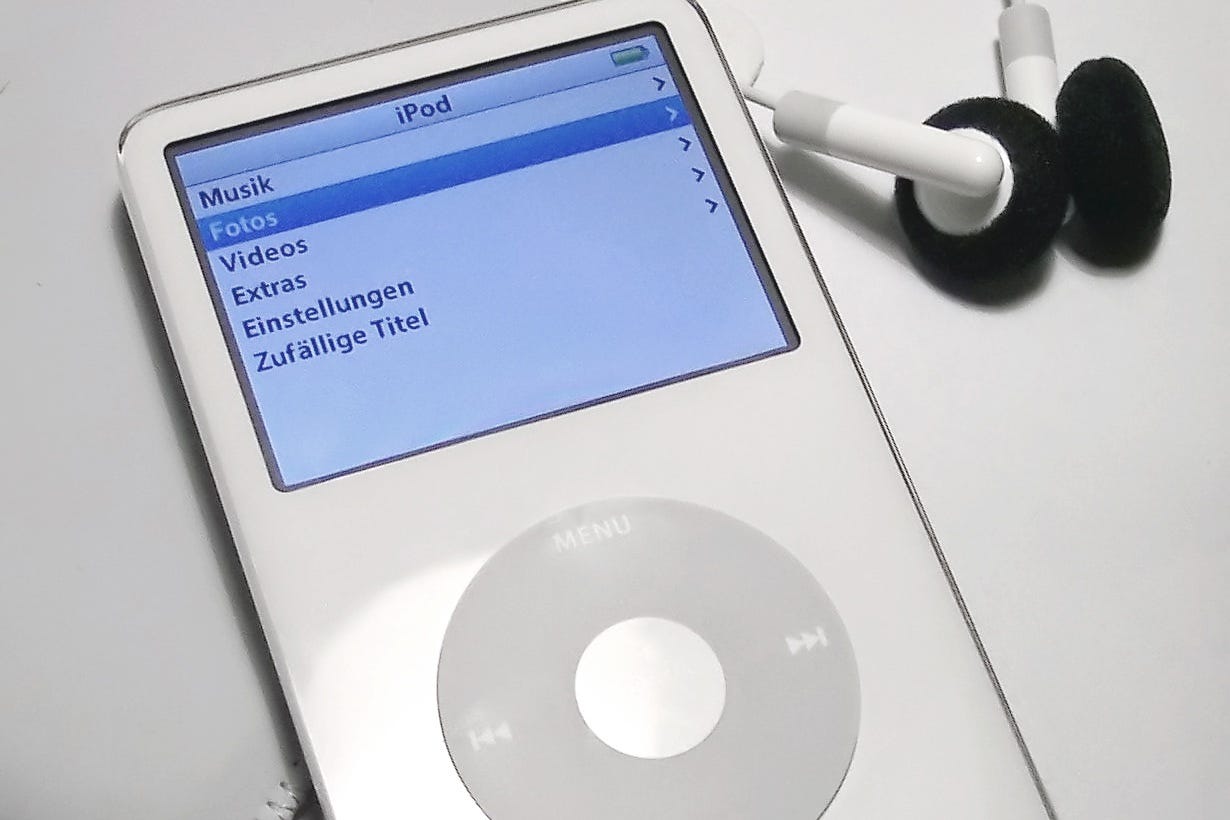
Also known as the Video iPod, It sports all of the features that made the iPod so popular in the first place, with a case and components that are among the easiest to replace when (not if) they die. It also uses a Wolfson digital-to-analog converter (DAC), which produces a warmer, smoother sound than non-Wolfson models, according to some iPod aficionados (take that highly subjective opinion with a grain of salt). Unfortunately, none of this is a secret and these iPods regularly fetch more than $400 on used marketplaces.
You’re going to need some music
If you’re still keen to explore vintage iPod land, don’t forget the one thing that makes an iPod different from a streaming service: you need to own all of the music you want to play (and then organize and transfer it to the iPod). For some folks, this part is actually the crux of why they want to go back to a dedicated music device.
There are two (legal) ways to acquire music files: Rip/convert music you already own on vinyl or CD, or buy and download tracks from online music stores. Unfortunately, you can’t use the offline music files provided by your streaming service. These only work inside their respective app (Spotify, Apple Music, etc.) and they become inaccessible if you ever let your subscription lapse.
Ripping/converting
If you still have a CD/DVD drive built into your computer, iTunes will let you rip your CDs (copy them) and convert the files to one of the three formats iPods support: MP3, AAC, or (if you have a third-gen or newer iPod), ALAC. If you don’t have a drive, external ones are available on Amazon for about $30.
For vinyl, a USB turntable is perfect — it comes with software that can do the same thing. Ordinary turntables work too, but they need to be connected to an analog-to-digital converter (also known as an audio capture device). Again, these are inexpensive purchases on Amazon.
Where to buy music
The key to downloading music from stores is that the files must be Digital Rights Management (DRM)-free. In other words, they aren’t copy-protected. These online stores all offer DRM-free downloads.
The iTunes Store is the path of least resistance for the iPod. Purchases download as DRM-free AAC files that play natively on every iPod ever made — no conversion needed. Individual tracks run $1.29; most albums land between $9.99 and $11.99. It’s also the largest major label catalog online. Buying from the iTunes Store is not the same as an Apple Music subscription. As I mentioned above, subscription tracks are rentals that vanish when you stop paying; iTunes Store purchases are yours permanently.
I didn’t even realize that Amazon Music’s digital store sells DRM-free MP3s when I began this article, and yet, it’s all right here. Three things worth knowing before you dive in: pricing is comparable to the iTunes Store; you buy through a desktop browser or an Android device; and Amazon’s shopping cart sucks (it doesn’t have one). You can still buy a full album in a single transaction, but picking up multiple individual tracks means a separate purchase for each one.
Bandcamp is the one to use if you’re all about discovering and supporting indie artists. When you buy, you choose the download format — including MP3, FLAC, ALAC, and more. With Bandcamp more of your money goes directly to the artist than with the other options on this list. Pricing is set by the artist, with many offering a “name your price” option that lets you pay what you think it’s worth.
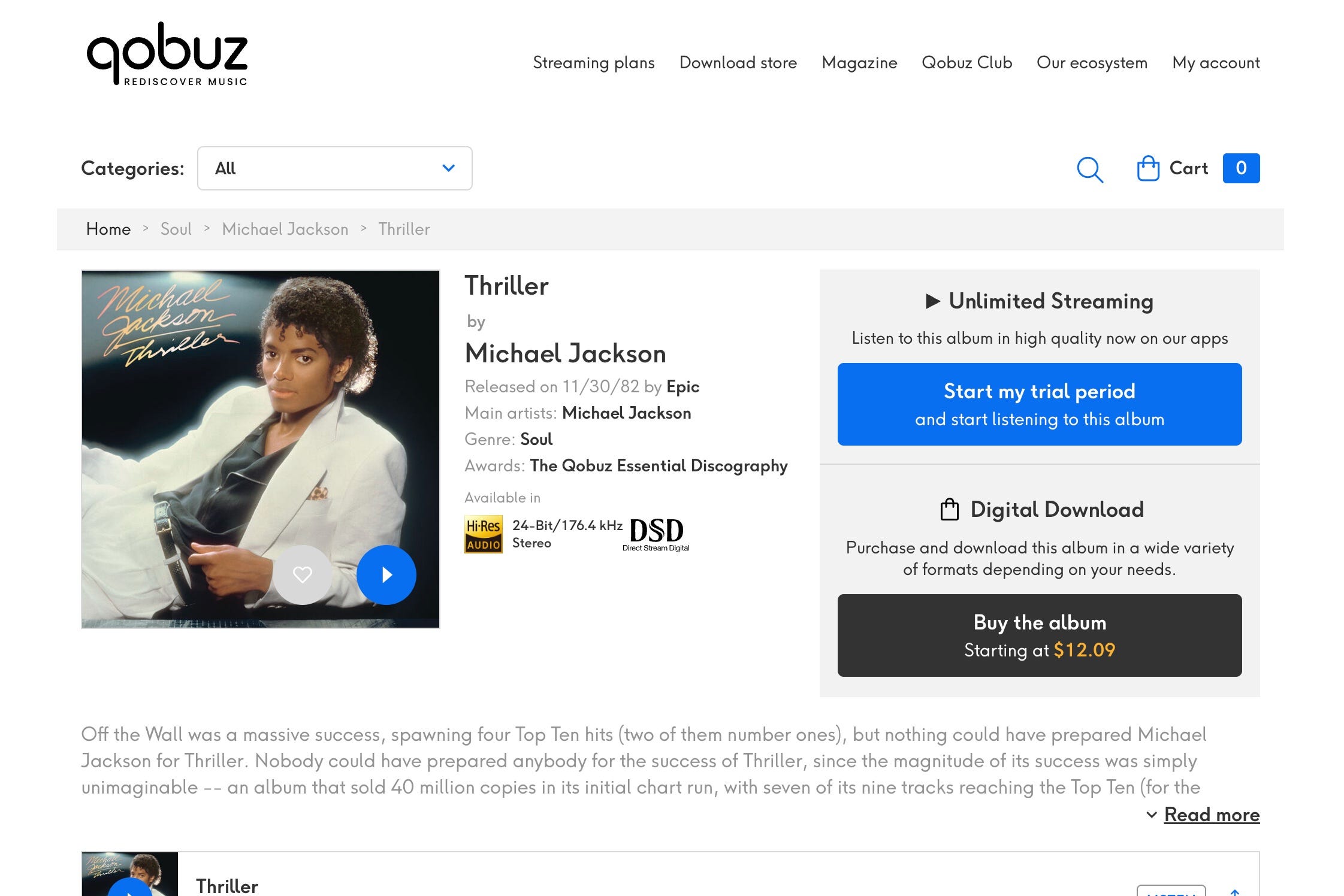
Qobuz is where to go when you want a step up in quality. Alongside its streaming tier, it runs a download store selling DRM-free files all the way up to hi-res — better-than-CD versions of a surprisingly deep catalog, mainstream included. Pricing tends to be more expensive than with Amazon and Apple. Michael Jackson’s classic Thriller, for instance, is $10 on Amazon/Apple, but starts at $15 for the CD-quality version on Qobuz. Hi-res versions can cost $25 or more.
If you think you’ll buy a lot from Qobuz’s store, it may be worth buying the company’s top-tier Sublime plan subscription ($15 per month), which comes with a permanent 30-60% discount on hi-res purchases from the store.
HDtracks plays in the same hi-res, audiophile-grade lane as Qobuz, and it’s the longest-running site of its kind. However, individual tracks are rarely available separately — it’s predominantly an album store, and priced accordingly at the premium end of the market (more than $25 for the hi-res version of Thriller). Qobuz and HDtracks catalogs don’t fully overlap. If a particular album in hi-res is what you’re after, check both — one will often have a title the other doesn’t.
A note on file formats
I don’t want to bog you down in details or jargon, but this could affect your listening experience on your iPod and beyond.
As I noted above, the iPod only supports MP3, AAC, and ALAC.
MP3 and AAC are “lossy” which means they trade some audio quality for massive savings in file size. ALAC, on the other hand is “lossless” – essentially CD-quality, with a correspondingly large file size (though still smaller than the files on a CD).
Unless you find a vintage iPod that has been modified with a huge amount of SSD storage, you’ll want to use MP3 and AAC on the iPod itself — Steve Jobs’ famous “a thousand songs in your pocket” slogan was based on AAC storage requirements, not ALAC.
However, if you think you may want to listen to these songs on other devices (like your home hi-fi system), consider acquiring your music in ALAC or FLAC (a more popular lossless format).
These preserve all of the sound quality for when storage isn’t an issue, and they can be easily converted into MP3/AAC for portability.
The same is not true in reverse. If you buy an AAC file from iTunes or an MP3 from Amazon, you’re stuck with the lower-quality version on all of your devices.
Try before you buy
At this point, you may be wondering if you’re actually cut out for the vintage iPod trend. Instead of committing dollars and time right away, consider simulating the iPod experience with gear you already own.
Airplane mode + no Wi-Fi + disable notifications = iPod
It sounds obvious, but it works. When you disconnect your phone from all sources of data, and shut off its notifications, you kill its ability to control you. It’s just you and your music. For the full experience, you can also do the wired earbud/headphone thing (I’ve got some advice on that lower down).
The one thing to keep in mind is that, without any data, you’ll need to decide what you want to listen to before you go full privacy mode.
If you subscribe to a streaming service, you can download as much music for offline listening as you want, up to the amount of storage that’s available on your device, with one exception: Spotify Premium imposes an arbitrary 10,000-track, per-device limit regardless of how much storage you have available.
This route has a lot of benefits. It avoids the inevitable panic when you find yourself away from home and realize that your whole life, including the way you pay for stuff, isn’t in your pocket. It requires almost no additional investment on your part. And because you can choose the music files, the playback app, and the digital-to-analog/amplification portion of the audio chain, it’s almost certainly going to sound better than a vintage iPod.
An old phone
Same concept as above, but this time, it’s a dedicated device.
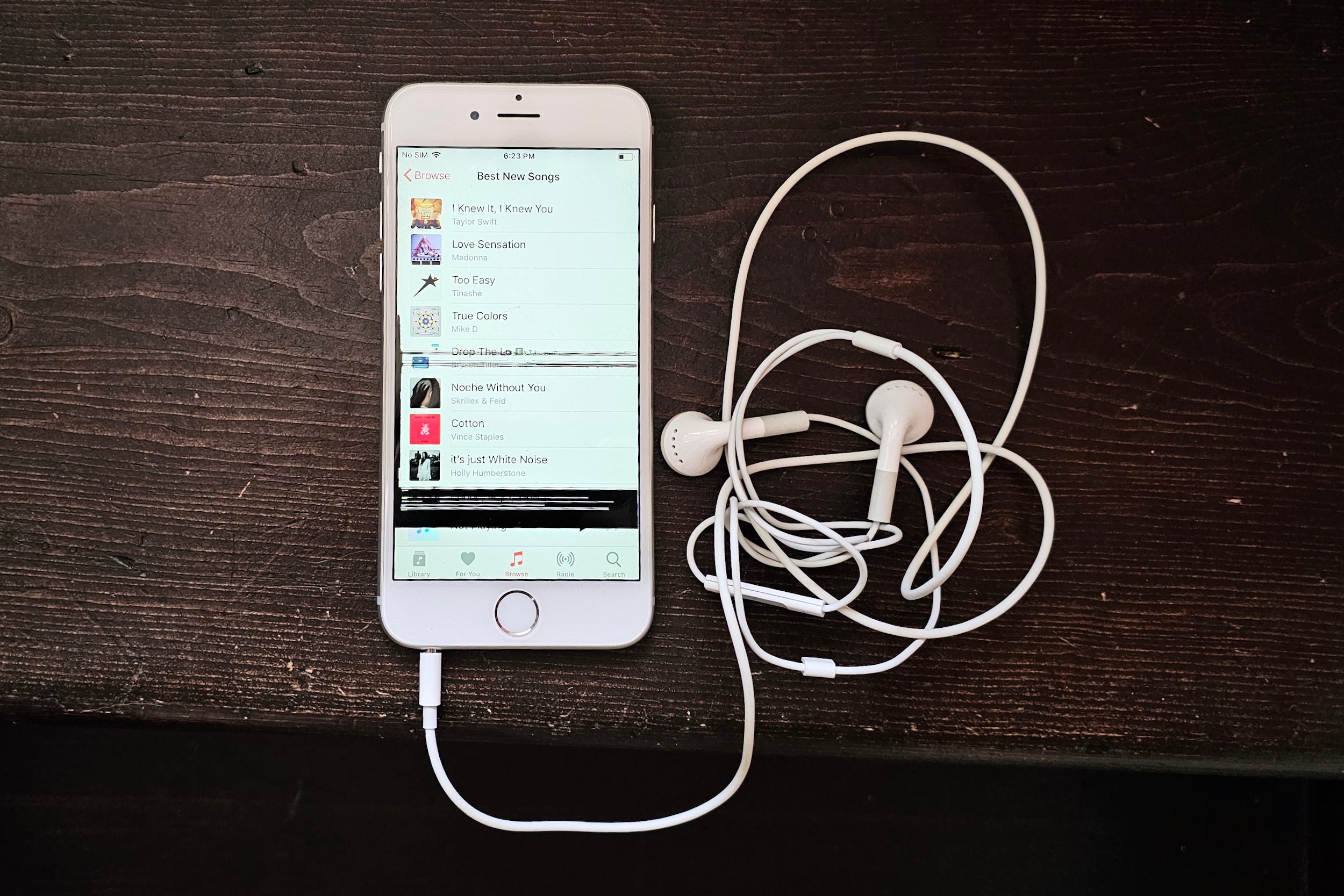
If you have a retired smartphone kicking around that can still take a charge, it’s effectively an iPod Touch. With no active SIM card, (and if you disable Wi-Fi) you can’t use it to get online. If you wipe the phone clean before starting, you won’t have any unwanted apps either.
If it’s a really old phone — like my beat up iPhone 6 — it might even have a headphone jack!
The key to getting it working like an iPod is to figure out if you want to do the offline-mode for a music subscription service, or go truly old school by transferring songs from your computer.
Believe it or not, if you’re using a Mac/iPhone combo, Apple Music will still let you do this even if you don’t subscribe to the streaming service.
I don’t spend much time with Android, but there are plenty of decent dedicated music playing apps, and file transfers over a USB cable works from both Macs and PCs.
Other Digital Audio Players (DAPs)
Even though Apple nixed the original click-wheel iPod Classic in 2014, other companies in the digital audio player space kept going. Sony, Astell & Kern, Fiio, and iBasso have been churning out new models each year. Like the iPod, they’re dedicated to music listening. Unlike the iPod, some of these players can cost thousands of dollars and most go way beyond the iPod’s rudimentary feature set.
I’m not going to survey the whole category — there are far too many devices — but I do want to highlight three particular models that you can buy for under $100, a totally reasonable investment if you want to try the dedicated player thing before falling down the vintage iPod rabbit hole.
Since I have tried none of these devices personally, this section is purely to give you a sense of what’s out there. These are not recommendations.
Innioasis Y1
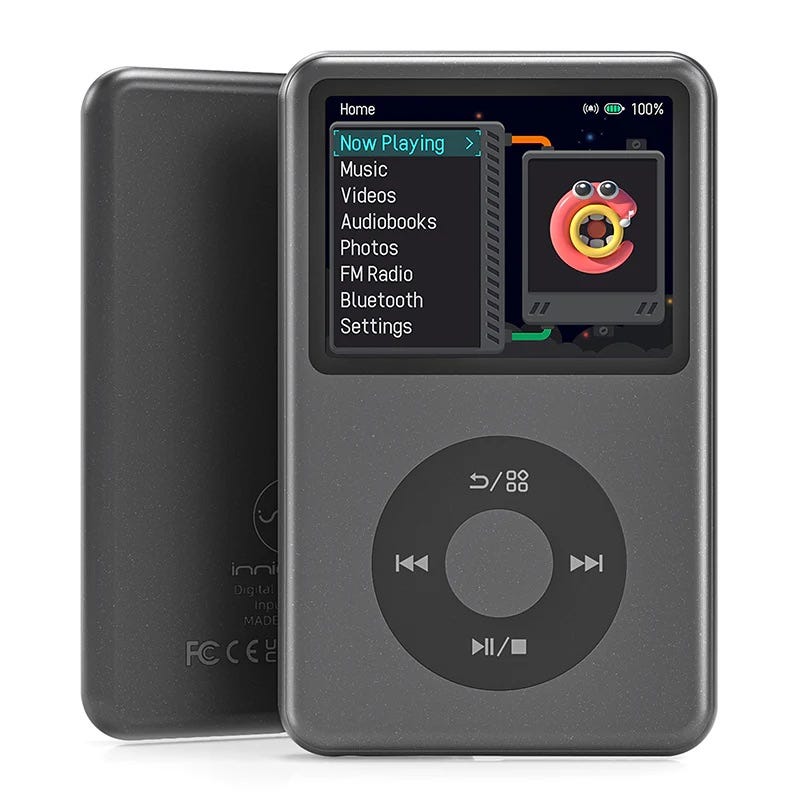
In a strange twist of fate, one of the most affordable budget players happens to be a dead-ringer for the iPod Classic: The Innioasis Y1. $70 for the 64GB model
The Y1 may not have the build or sound quality of the iPod (some buyers appear to be a bit disappointed by this), but it’s the closest you can come to Apple’s player in a new product. It also supports Bluetooth headphones, and like almost every modern DAP, it can play almost any audio file you load onto it.
Fiio Echo Mini
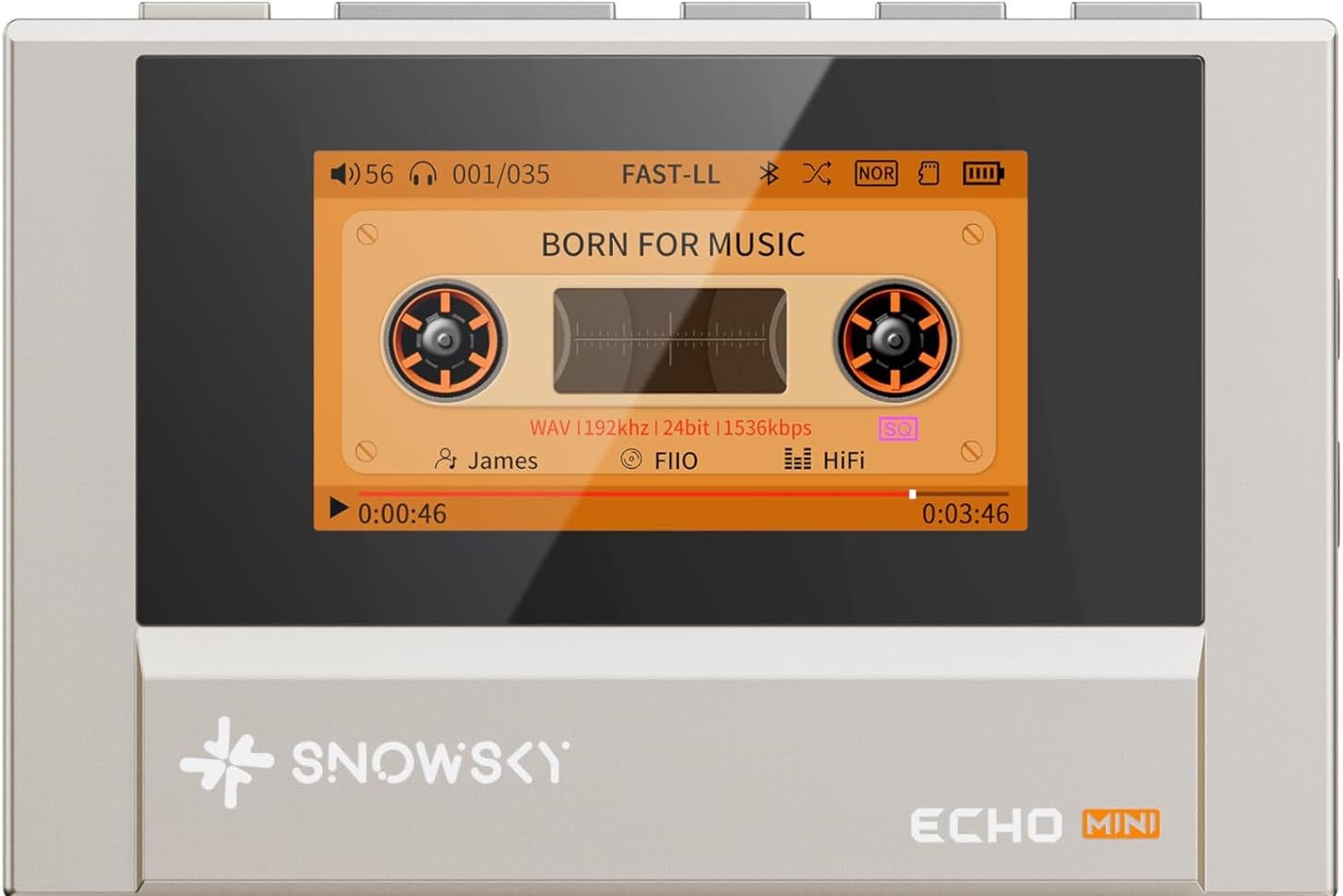
The Fiio Echo Mini is tiny, has a 15-hour battery life, 8GB of built-in storage, and is expandable to 256GB with optional SD cards. You can use wired or wireless earbuds, and it plays a vast number of file types. Price: around $60 USD.
The Shanling M0s ($90)
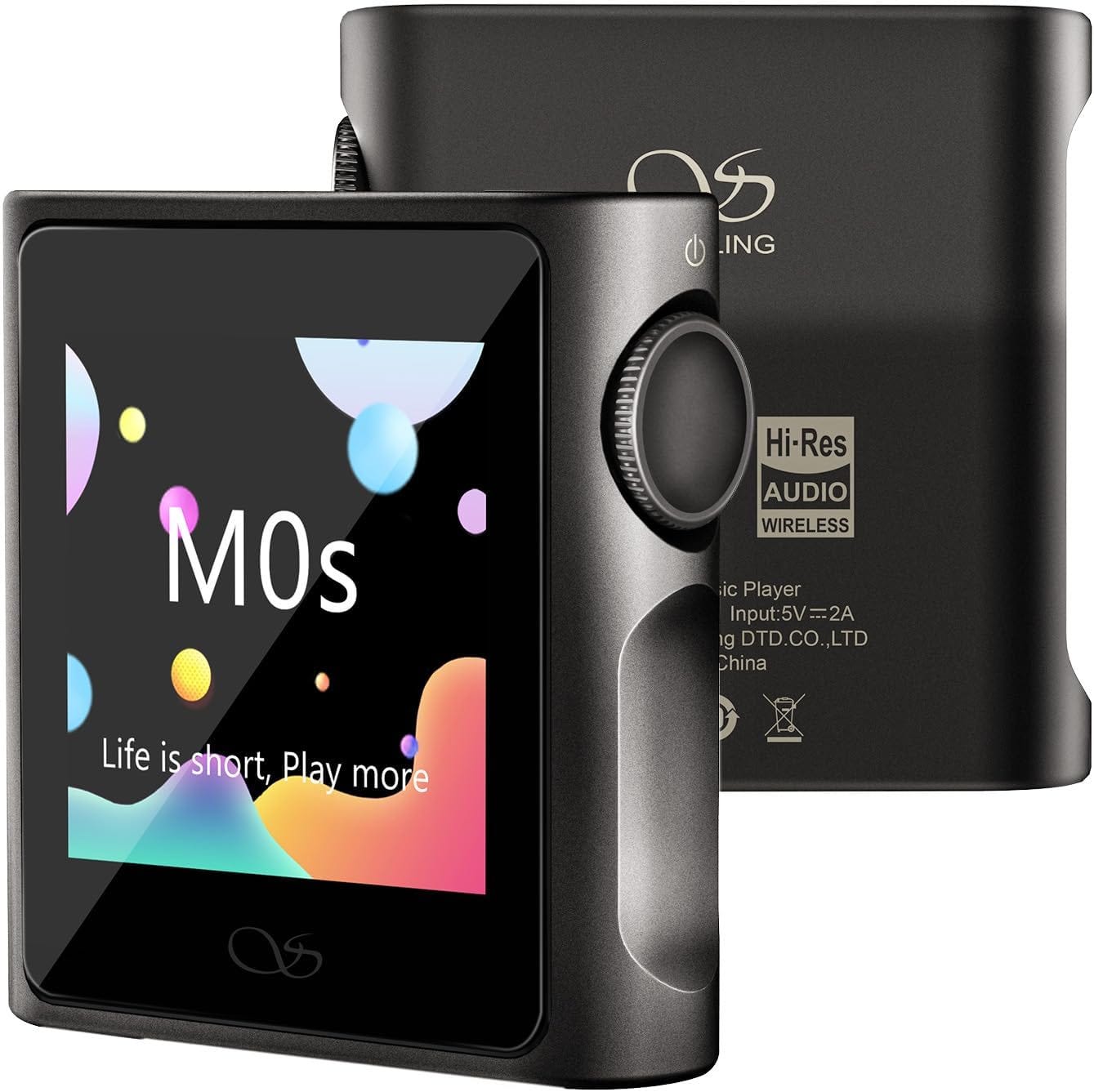
Shanling’s M0s (weird name) looks like another solid option, especially for those who liked the design of the 6th gen iPod Nano (the square, all-screen model with the built-in clip).
One more thing: Earbuds
I want to leave you with one more thing to think about and it’s those iconic, white wired earbuds that shipped with every iPod Apple ever sold. They’re mediocre at best.
The semi-open design, which just sits inside your ear, is comfy, but it lacks any kind of seal to keep outside sounds from messing with your music.
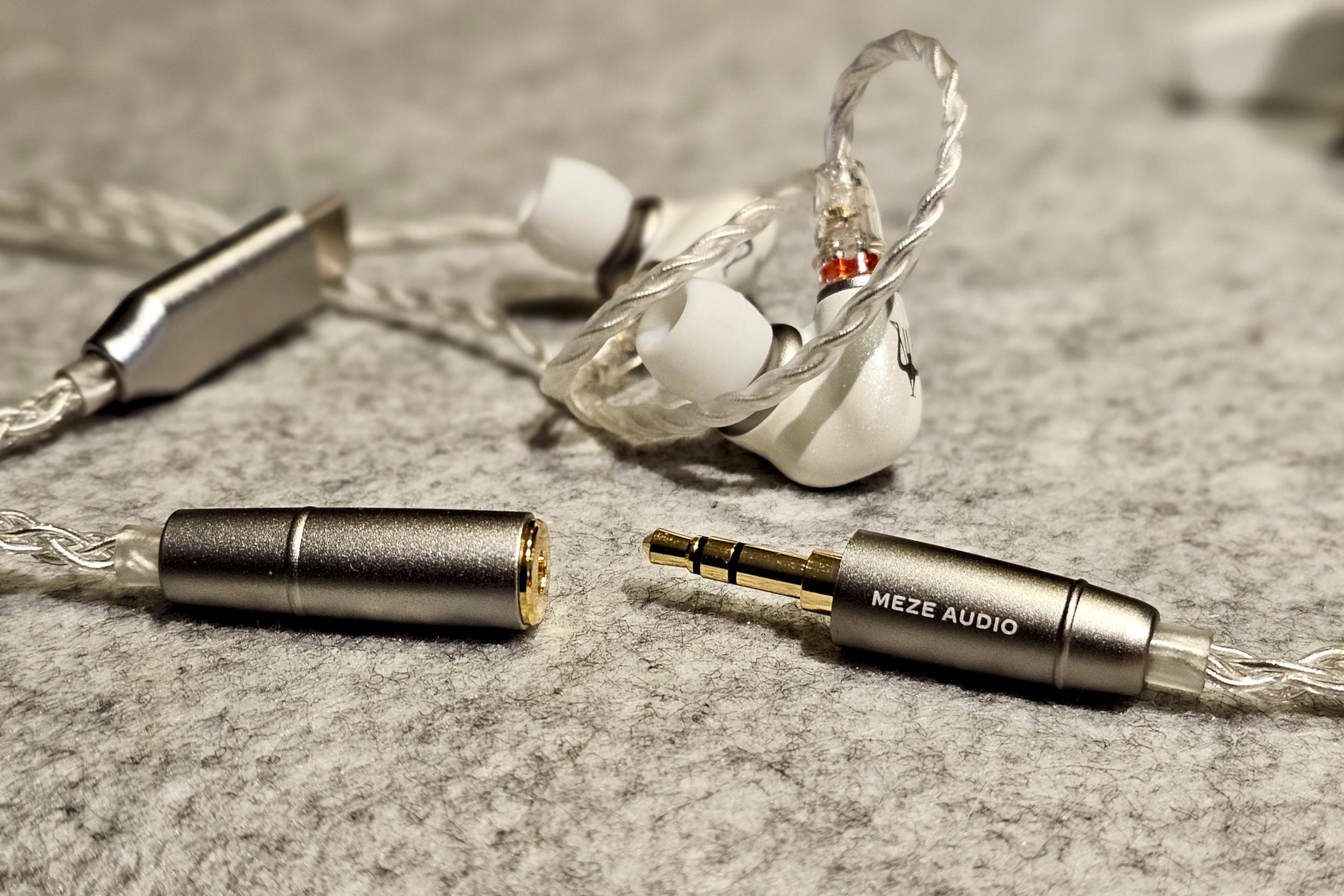
Obviously, if an authentic vintage iPod experience is your goal, these buds are non-negotiable. But if you want to hear just how good an iPod can sound, it’s worth looking into the wide world of wired in-ear monitors (IEMs).
These earbuds have silicone eartips (just like the AirPods Pro) and much better acoustic architectures. You don’t even have to spend a fortune.
Look for brands like Moondrop, Fiio, Final Audio, 1More, and Sennheiser — and don’t forget, you want models with 3.5mm jacks, not USB-C.
If you’ve taken the plunge on a vintage iPod, or maybe you found an old one in a drawer and decided to resuscitate it, let me know in the comments!
If you enjoyed this Loudmouth article, please consider subscribing. It supports my work and ensures you won’t miss out on future coverage.
Disclosure: If you buy through links on this page, I may earn a small commission at no extra cost to you. As an Amazon Associate, I earn from qualifying purchases.
I literally just found an old iPod and was bringing it back to life! Charge seems fine but syncing is definitely an issue. I am trying a few different conversion cables but have not yet got it to pop up on my Mac :/